Developer Listing Templates: How to Structure Project and Unit Information
Build a reusable property listing template that keeps project details, unit availability, prices and agent materials clear across every sales channel.
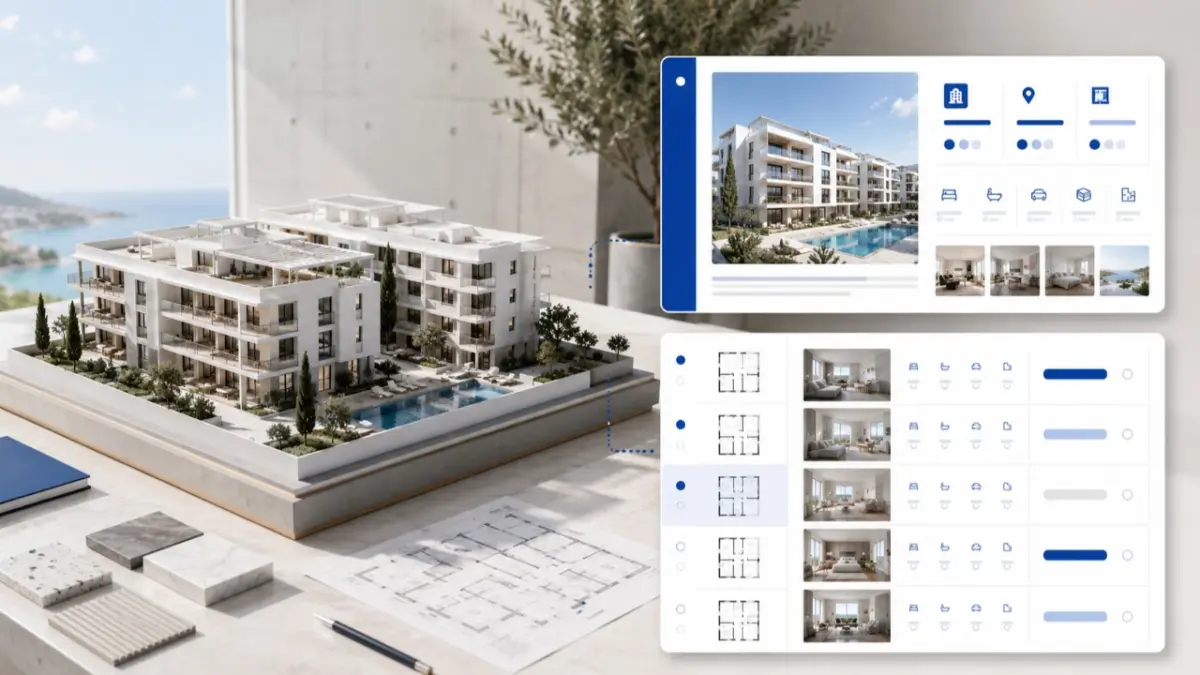
Developer listing templates give property developers a repeatable way to present projects and individual units across their website, agent network, portals, brochures and property distribution systems. The goal is to ensure that buyers, agents and internal sales teams can find the same essential facts, understand what is available and act on current information.
What Is a Developer Listing Template?
A developer listing template is a reusable structure for project data, unit specifications, media, availability, prices and disclosures. It combines content rules with a repeatable page layout rather than serving only as a design file.
Developer listing templates in Cyprus need to reflect local project details: clear area definitions, unit references, verandas, parking, construction stage, VAT wording where confirmed, and accurate status information.
Why Does a Standard Template Matter to Developers and Agents?
A consistent template helps a developer launch pages faster and give agents material they can use without rewriting basic facts. During a buyer meeting, the agent can identify a unit by its stable reference, check its status and open the approved floor plan without searching through separate messages.
Which Information Belongs to the Project and Which Belongs to the Unit?
Project and unit information should be stored separately. A project record describes the whole development; a unit record identifies one apartment, villa, office or shop within it. Mixing the two creates repeated text and makes updates harder to control.
Project-level information
- Project name, location and property types.
- Overall description, amenities and specifications.
- Construction stage and expected completion information.
- Master plan, project images and shared documents.
- Developer identity and approved enquiry route.
Unit-level information
- Stable unit reference, building and floor.
- Layout, room count, areas and outdoor space.
- Parking, storage and features specific to the unit.
- Price, currency and availability status.
- The correct floor plan and date of the latest status check.
This division prevents a project-wide change from being edited separately on dozens of unit pages. Construction stage belongs at project level; a price or reservation change belongs to the relevant unit.
What Should Appear at the Top of a Project Page?
The opening screen should explain the offer immediately. A useful project page layout starts with:
- Project name, location, type and current stage.
- A short factual summary and approved hero image.
- Available unit types or price range, if approved.
- One clear enquiry action.
Key facts, availability, location, amenities and completion information should follow. Galleries, specifications, master plans and documents can appear later.
Which Fields Should Every Unit Listing Include?
Each unit needs a stable reference that remains unchanged when its price or status changes. The rest of the specification should use consistent labels and measurement rules across the development.
Core fields include the property type, building, floor, bedrooms, bathrooms, internal area, verandas, plot or garden where relevant, parking, storage, price, currency and availability. Add the floor plan and the date changing information was last checked.
Use structured fields for details people compare or filter. Reserve descriptive text for the project concept, neighbourhood and specification. Identify details that are not yet confirmed, do not apply or remain subject to final approval.
How Should Images, Renders and Floor Plans Be Presented?
Visuals should follow the sales stage. Renders may lead an off-plan launch; completed projects should prioritise photographs. Label every conceptual or representative image accurately.
A usable media pack contains a hero image, exteriors, representative interiors, amenities, location context, plans and dated construction photographs where relevant.
Floor plans should show the unit reference, orientation, room labels, area boundaries and a version date. They must remain legible when enlarged on mobile.
Because channel requirements differ, retain high-resolution masters and prepare versions with consistent crops, filenames, captions and useful alt text.
How Can Prices and Availability Stay Current?
Price and status are living fields, so the template needs rules as well as fields to hold the information. Define the permitted status values—for example, Available, Soft hold, Reserved, Contract signed, Sold, Withdrawn and Pending approval—and specify who can apply each one.
Every price record should state the currency, effective date, inclusions and approved VAT wording. Completion estimates require a date and appropriate qualification when they are not contractually guaranteed.
PDFs and spreadsheets remain useful as dated snapshots, but live availability should come from an approved source. Each export needs a version number and effective date.
How Should One Template Work Across Different Sales Channels?
The same data can support several formats. A website carries the full story and enquiry form; a portal uses key filters and shorter copy; an agent page needs inventory and approved materials. A brochure remains a dated presentation asset.
In a listing design MLS workflow, structured fields let agents filter, compare and share listings. MLS RealtyHub can sit between approved developer inventory and the agent network, while the CRM records contacts, activities and pipeline stages.
The website presents the project publicly, portals create discovery, the CRM manages leads, and a document repository controls approved files. Each tool keeps its own role.
What Does a Reusable Template Look Like in Practice?
Consider an off-plan apartment development in Limassol. One project record contains the location, construction stage, expected completion, amenities, renders and master plan. Each apartment receives its own reference, areas, floor, parking, price, availability and floor plan.
The full record supports the website; selected fields support MLS RealtyHub and portals. Agents receive current unit cards and a dated availability matrix. Email and social posts use a smaller selection of the same facts.
When Unit A-203 is reserved, its status changes in the approved inventory source and dated exports are replaced. The project description and other units do not need to be rewritten.
What Common Template Mistakes Should Be Avoided?
- Repeating unit prices and availability in manually maintained project descriptions.
- Using different area definitions across pages and brochures.
- Linking a floor plan to the wrong unit or orientation.
- Presenting renders as photographs of a completed property.
- Leaving a withdrawn unit marked as available.
- Publishing a price without its currency or applicable VAT context.
- Sending agents an undated availability sheet.
- Mixing current and archived materials in the same active folder.
Developer Listing Template Checklist
Before a template is approved, confirm that:
- Project and unit information have separate records.
- Each unit has a stable reference and the correct floor plan.
- Areas use consistent labels and measurement rules.
- Prices and statuses have owners and effective dates.
- Images and renders are identified accurately.
- Changing information comes from an approved source.
- Buyer-facing and agent-only information are separated.
- Exports have a version number and replacement process.
If several answers are missing, complete the information model before refining the visual design.
How Should an Evergreen Listing Template Be Updated?
Review the template after a new project phase, price or status change, revised plan, verified legal-status update or recurring agent feedback. Review the general field structure annually.
Record the last review date. Keep examples and field definitions aligned with current project information, and use approved wording for legal, tax and permit details.
Keep Every Listing Ready for Distribution
A strong template gives the website, sales team and agent network the same approved foundation. It makes listings easier to compare and changing information easier to control.
MLS RealtyHub helps developers organise project and unit information for structured distribution to agents. Request a workflow review to see how your current inventory and project materials can be prepared for a clearer agent-facing process.
Frequently asked questions
What is the difference between a project page and a unit listing?
A project page describes the development as a whole. A unit listing contains the specifications, price, status and floor plan of one property within it.
Can a PDF be used as the main project listing?
A PDF is useful as a dated snapshot, but changing prices and availability should come from a source that the developer can keep current.
How should Cyprus property areas be shown?
Use separate fields for covered internal area, covered and uncovered verandas, and plot or garden area. Explain any combined total so buyers can compare units accurately.