How Cyprus Developers Can Use Video to Market Property Projects
Learn which property videos to create, what data to verify, how to distribute approved footage and what to update when project details change.
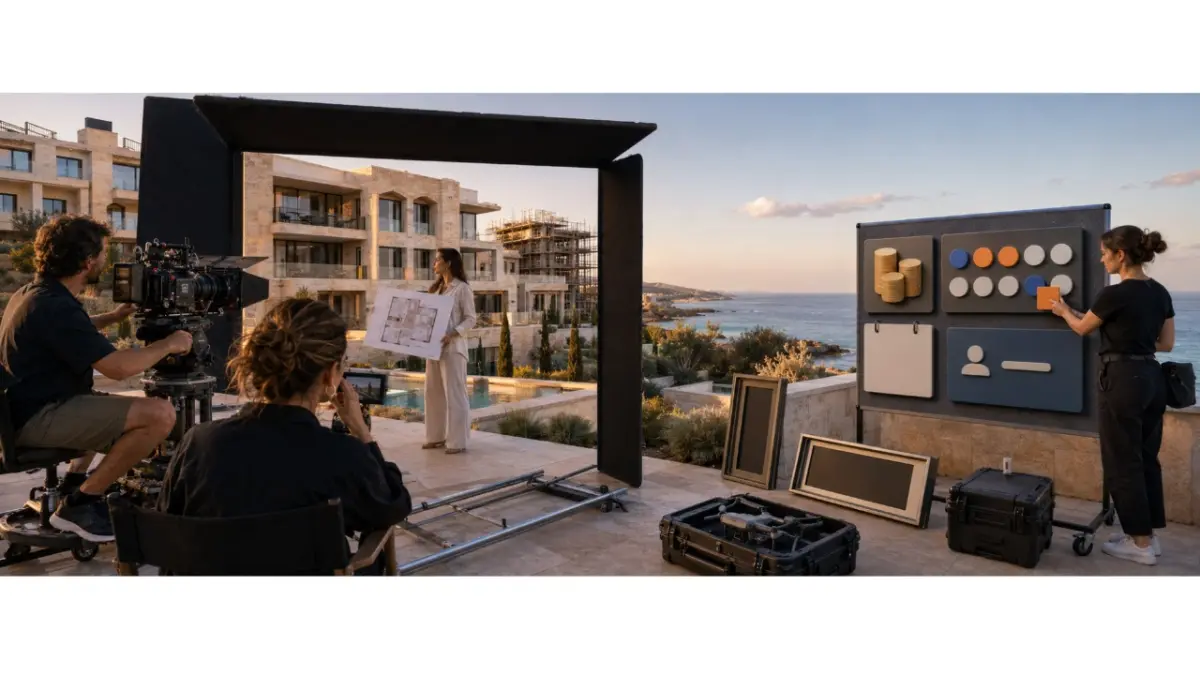
For teams building a video marketing developers Cyprus workflow, every video should begin with a current project record. Video can present the architecture, location, layout and construction progress, but it should not become a separate source for prices, availability or completion dates. Details that change regularly are better kept in a controlled project record, caption or page that can be updated.
Verify the data before filming
Before preparing a script, confirm the project name, location, property type, size, construction stage, floor plan, materials and approved visual assets. Prices, availability and completion information require an additional check immediately before publication.
When the scriptwriter, video editor and marketing team use different versions of the project materials, discrepancies can become embedded in the final video. Correcting on-screen text or a voiceover after publication is more difficult than updating a project page, so approval should happen before editing begins.
Choose one purpose for each video
A developer does not need one long video covering every part of a development. Separate videos built around individual buyer questions are easier to understand, update and adapt for different platforms.
Useful formats include:
- A project introduction showing the location and overall concept.
- A floor-plan walkthrough explaining the layout of a particular property.
- A construction update documenting a confirmed milestone.
- A location video showing access and the surrounding area.
- A completed-property tour showing the finished space.
Each format should have one clear purpose. A construction update documents a confirmed milestone, a floor-plan video explains how the space works, and a location video helps an overseas buyer understand the surrounding area.
Planning project promo videos
The team should first decide what the viewer needs to understand. The video may focus on the current construction stage, a particular layout, the location or a completed property. The next step is to select the footage, verify the facts and define one clear action for the viewer.
Before editing, prepare:
- The approved project facts and relevant floor plan.
- A short script or shot list with one main message.
- Approved renders, footage and other visual assets.
- Labels distinguishing visualisations from actual footage.
- The intended platform, video format and call to action.
- A person responsible for reviewing the final edit.
Architectural visualisations should not be presented as footage of a completed property. If a video combines renders with actual construction footage, viewers need to understand which elements are real and which represent the intended result.
Decide what belongs inside the video
Relatively stable information can be included directly in the footage:
- The project name and location.
- Approved architectural features.
- A floor plan linked to the property being shown.
- Dated construction footage or a confirmed milestone.
Details that change frequently are usually safer in the caption or on a page that can be updated:
- Unit prices and availability.
- Limited offers and payment terms.
- Expected completion dates when the schedule may change.
- The current unit list and enquiry contact.
This allows the footage to remain usable without preserving information that may become inaccurate after the next project update.
Structure a short property video
A video of approximately 15–30 seconds can follow a simple sequence:
- Open with the project or its location.
- Introduce one specific project fact.
- Show the property, floor plan or construction stage.
- Add relevant location context.
- Present the current status without unsupported promises.
- End with one clear action.
A practical script might read:
“Here is a new residential project in Larnaca. This video shows the façade, one approved floor plan and the current construction stage. Check the project page for the latest prices and availability, or request the current brochure and unit list.”
The script introduces the development without embedding prices, availability or other details that may change quickly.
Select the right distribution channel
Short vertical videos are suitable for Instagram Reels, Facebook, YouTube Shorts and TikTok. They work best when they present one aspect of the project and lead the viewer towards a specific next step.
Longer videos are better suited to YouTube, a project website or a remote buyer presentation. LinkedIn can support construction updates, company communication, commercial developments and content aimed at a professional audience. Duration, aspect ratio and technical specifications should be checked against each platform’s current requirements.
Review everything before publication
The team should follow the same approval process for every video:
- Confirm the project name.
- Verify the location.
- Check the property type and specifications.
- Review the floor plan.
- Confirm the current construction stage.
- Check the price and availability.
- Verify the completion information if mentioned.
- Confirm the rights to music, images and footage.
- Label architectural visualisations correctly.
- Review the contact details and call to action.
- Test the destination page or enquiry form.
Drone footage requires an additional review of applicable aviation rules, location restrictions and permissions. Videos showing identifiable people or private property also require attention to consent and personal data.
Respond when project details change
A new price, availability status or property specification should first be confirmed by the responsible team member and added to the primary project record. The marketing team can then review active campaigns, published videos, captions, destination pages and materials distributed to agents.
If the incorrect information appears only in the caption or landing page, it may be possible to update it. If the video itself contains an outdated price, date or status, the campaign may need to be paused and the creative replaced. The available editing options depend on the platform and campaign type.
Use MLS RealtyHub as the project source
MLS RealtyHub allows developers to manage projects and portfolios, update prices and availability, and store brochures, price lists, floor plans and project media. Marketing teams can review this information before filming or publishing instead of collecting project details from separate folders and conversations.
Day-to-day project management can be handled through Developer Dashboard. Developer API Integration can support the flow of project information from another system. These functions support the underlying project data; the marketing team remains responsible for creating, editing and publishing videos.
Confirm the capability before an MLS video upload
Media storage does not necessarily mean that every video format can be uploaded. Before transferring a video, the team should establish whether its MLS RealtyHub setup accepts video files, external video links or specific media types.
Confirm:
- Which video formats or links can be used.
- Any file-size or duration limits.
- Where the video will appear and who can view it.
- Who can replace or remove an outdated version.
- Whether partner agents can access the approved asset.
If video cannot be stored in the project record, the team can keep the approved file in its existing media system and connect its distribution process to the current project information.
Distribute approved videos to agents
Developers should provide partner agents with an approved content pack rather than one unlabelled file. The pack may include a master video, vertical and horizontal versions, shorter clips, subtitles, an approved caption, a review date and rules for adding contact information.
Agents may add permitted contact details and guide their own clients, but they should not change the project specifications, visualisations, logo or approved claims. When the project changes, the developer should withdraw the old version and clearly identify the replacement.
Connect video enquiries with follow-up
Every video should lead to a defined action such as requesting a brochure, checking availability, booking a consultation or arranging a viewing. The team should decide in advance who receives the enquiry and how it will be handled.
A Developer CRM Integration workflow can connect the enquiry source with the relevant project, video, responsible team member and next action. Without this connection, views and enquiries remain isolated figures rather than part of a sales process.
Measure more than views
Attention metrics include:
- Reach and impressions.
- Video starts and views.
Retention metrics include:
- Average watch time.
- The percentage of viewers reaching key points or the end of the video.
Interest metrics include:
- Clicks to the project page.
- Brochure requests and availability checks.
- Replies and completed enquiry forms.
Commercial metrics include:
- Qualified enquiries.
- Booked consultations and viewings.
- Reservations and completed transactions connected to the campaign.
Strong retention indicates that the footage holds attention. It does not guarantee enquiries or sales if the offer, project information or next action is unclear.
A practical example
A developer prepares a construction update for a project in Paphos. The video shows current site footage, the confirmed construction stage and one approved floor plan. Prices and availability are kept out of the edit and remain on the project page.
When availability changes, the team updates the primary project record and destination page. The video can remain in use because it does not contain the outdated information. Partner agents receive the same footage with a revised caption and current unit list.
Common mistakes
- Starting production before approving the project information.
- Embedding frequently changing prices in the video.
- Presenting an architectural visualisation as a completed property.
- Using one format across every platform.
- Publishing without subtitles.
- Using music or footage without permission.
- Ignoring restrictions that apply to drone filming.
- Sending videos to agents without a review date.
- Leaving campaigns active after their information becomes outdated.
- Measuring performance only through views.
- Failing to assign responsibility for enquiries.
- Claiming that MLS RealtyHub creates or automatically distributes videos.
The next step
A reliable property video workflow connects visual storytelling with controlled project information. Video presents the development, MLS RealtyHub supports the underlying materials, and the marketing team reviews every active asset when the project changes.
Request an MLS RealtyHub demonstration to see how project data and approved materials can provide a controlled foundation for video marketing.
Frequently asked questions
Should a property video include the price of a unit?
A price can change while the video remains in circulation. Keeping current prices on a page or in a caption that the team can update makes it easier to avoid an outdated offer. If the price appears in the footage, the team must review and replace that version when it changes.
How should developers label architectural renders in a video?
Viewers should be able to distinguish renders from footage of the actual property or construction site. Clear on-screen labels are particularly useful when both appear in the same video.
Does MLS RealtyHub create and publish property videos?
No. MLS RealtyHub supports the project information and materials behind the marketing workflow. The developer’s team creates, approves and publishes the videos through its chosen channels.