How Cyprus Property Developers Build a Connected Digital Presence
Learn how Cyprus developers can coordinate project pages, branding, search visibility, inventory and professional distribution.
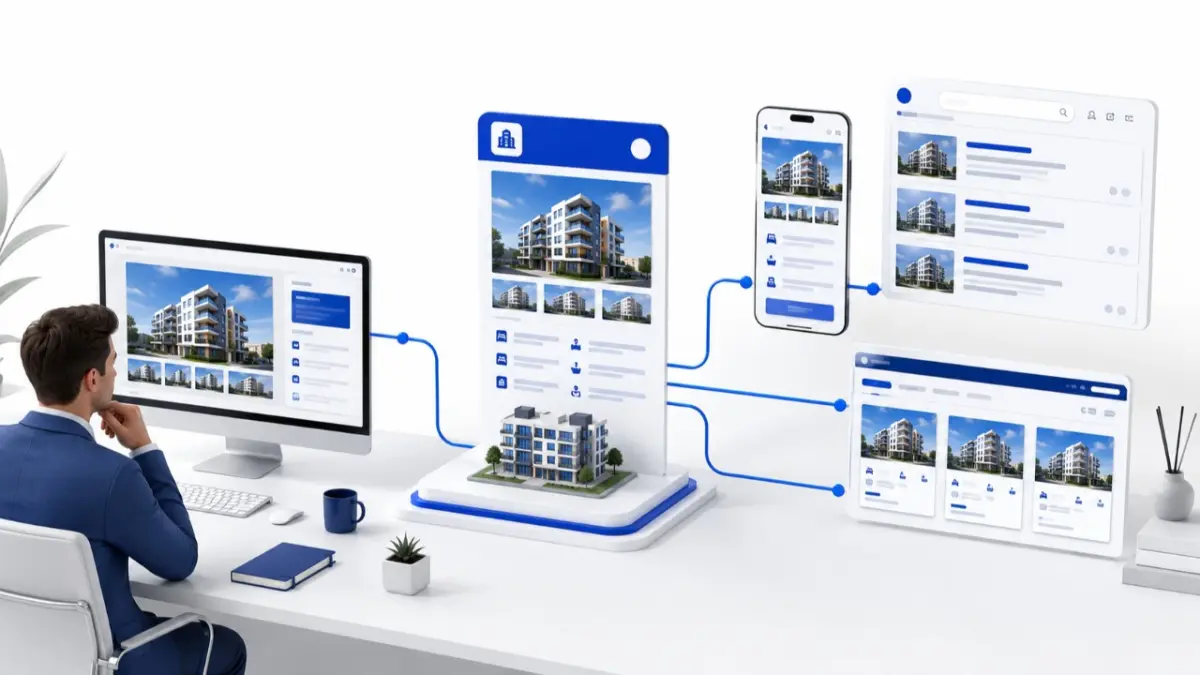
A property developer’s digital presence is the system through which buyers, agencies and partners discover the company, review its developments and make contact. Digital presence for developers in Cyprus covers a website, project pages, search visibility, structured data, professional distribution, enquiry routes and update processes.
Digital presence is a system of connected channels
A buyer may find a development in search and submit an enquiry. An agent may receive the same project through an MLS and check current units. Both routes should communicate the same core facts.
The complete system may include:
- A company website and structured project pages.
- Search listings and property portals.
- Social media and campaign channels.
- Approved materials for agencies and partners.
- Project and unit records with current availability.
- Enquiry forms, contact routes and CRM follow-up.
- Owners and procedures for updating information.
The website is an official public destination, social media communicates updates, portals support discovery, and professional systems distribute information to authorised users.
Adapt the presentation to the Cyprus context
Cyprus developers may address local buyers, international audiences and licensed agencies. Priorities differ between Nicosia, Limassol, Larnaca and Paphos because every development has its own location, property type and audience. Promotional wording may be adapted between languages, but names, areas, prices, specifications and availability should retain the same approved meaning.
Connect the company profile with its portfolio
The official company name, locations, contacts and enquiry routes should be easy to identify. A structured portfolio links this identity with completed and current developments. Projects may look different, yet each page should show the correct developer and approved facts.
Build project pages around practical information
A project page should answer essential questions without making visitors search through several posts. It can contain:
- Project name, location and developer.
- Property types and available layouts.
- Areas, specifications, amenities and floor plans.
- Construction stage and completion information.
- Current prices and availability where approved for publication.
- Images labelled according to whether they are photographs or renders.
- A clear enquiry route for the project or a specific unit.
Prices, availability and construction information may change regularly, so these fields need an assigned source and owner. A Developer Dashboard can help authorised teams organise records, while search visibility and brand recognition depend on the wider publishing process.
Separate online branding from promotion
In this context, online branding for developers includes consistent names, descriptions, terminology, logos, image standards, templates and language rules. Promotion communicates a particular project, while branding provides its identification framework. Consistency does not require every project to use identical positioning.
Make useful project pages visible in search
The purpose of SEO for projects is to make pages accessible and understandable. Clear titles, headings, indexable text, internal links, image descriptions, mobile usability and suitable performance support this aim. Important facts should not exist only inside files.
Accurate location information, crawlability, sitemaps, canonicalisation, duplicate-content control and structured data can support discovery. Results depend on the site, content, competition and search systems.
Control language versions and project assets
Areas, prices, availability, specifications and contacts should remain aligned across languages. Descriptions can be adapted, but every version needs a reviewer.
Digital assets require their own controls:
- Approved master files for logos, images, renders and plans.
- Labels distinguishing actual photographs from visualisations.
- File names connecting each asset to the correct project or unit.
- Version dates and permissions for use.
- An archive that keeps outdated files out of active distribution.
Give each platform a defined responsibility
- Company website: presents the developer and its projects to the public.
- Search and property portals: help buyers discover relevant developments.
- Social media and campaigns: communicate selected features and updates.
- MLS: distributes structured project and unit information to authorised professionals.
- Document repository: holds approved working files and archived versions.
- CRM: records enquiries, ownership, activities and follow-up.
The channels complement one another, but the developer still defines which system controls each field.
Extend the system into agency workflows
Licensed agencies may need approved descriptions, plans, specifications, unit references, prices, availability and contact procedures. Materials may be branded, unbranded or co-branded.
When a price, reservation status or plan changes, the revised record should reach the agreed channel and replace the previous version.
Assign a source and owner to important fields
A practical ownership model may assign:
- Company identity and approved messages: marketing or brand owner.
- Specifications and construction information: project manager or relevant specialist.
- Unit prices and availability: inventory or sales owner.
- Images, plans and language versions: designated asset and content owners.
- Enquiry routing and follow-up: sales or partner manager.
The allocation can vary, but a correction should begin at the designated source before reaching connected channels.
Developer CRM Integration can record an enquiry’s source, project interest and follow-up owner without becoming the source of live inventory.
Add integrations where the workflow requires them
Developer API Integration may exchange authorised information between a developer system, website, MLS, portal or CRM. Teams should first define field mapping, ownership, permissions, update direction, validation and error handling. Smaller portfolios may use a controlled manual process.
Follow one update sequence
A workable sequence is:
- Approve the company identity and core project information.
- Assign owners for facts, inventory, assets and translations.
- Maintain project and unit information in the designated source.
- Create public and professional materials from approved records.
- Verify information before distribution.
- Route enquiries into the follow-up process.
- Apply changes at the source.
- Update affected pages, records and documents.
- Replace outdated versions.
- Review consistency periodically.
Fictional example: one update across several channels
Imagine Cyprus Meridian Developments, a fictional company with projects in Nicosia and Larnaca. Its website has English and Greek pages. Marketing controls descriptions, the project manager confirms construction details, and the inventory manager maintains prices and availability. Agencies receive approved materials through a professional distribution process.
When a Larnaca apartment is reserved, its status changes at the source. The project page and MLS record are revised, the agency file is replaced, and the CRM retains enquiry history.
Where MLS RealtyHub fits
MLS RealtyHub supports developer profiles, project and unit presentation, inventory and availability management, documents, selective distribution and professional access. These capabilities support structured information and agency materials.
The platform complements the corporate website, search activity, brand process and CRM follow-up. Its value here is keeping professional project distribution connected to current information.
Review the full digital presence
A periodic review can check whether:
- Company and project identities match across active channels.
- Pages and agent materials show current prices and availability.
- Plans, images and descriptions belong to the correct units.
- Language versions communicate the same facts.
- Enquiries retain their source and reach a responsible person.
- Outdated files and listings are replaced after a change.
Developers can also review enquiry-source completeness, current-record coverage, cross-channel consistency and file-replacement time.
Conclusion
A developer’s digital presence connects identity, project presentation, search visibility, professional distribution and enquiries. Defined sources, owners and update procedures keep these channels aligned.
Connect project information with professional distribution
Use MLS RealtyHub to organise developer, project and unit records, maintain current availability and share approved materials with authorised property professionals. Request a workflow review to explore how the platform can support your existing project-presentation and agency-distribution processes.
Frequently asked questions
What does digital presence mean for a property developer?
It is the system through which a company and its developments are discovered, presented, distributed and connected with enquiries.
What should a Cyprus developer website include?
It should present the company, portfolio, locations, project status, contacts and enquiry routes. Each active development needs a page with approved facts and a clear next step.
How can developers keep project information consistent across channels?
Define a source and owner for each important field. Update that source first, then revise connected pages, professional records and distributed documents.