How to Build a Developer Lead Generation Process in Cyprus
A practical guide for Cyprus developers on project data, agent distribution, lead qualification, follow-up and sales tracking.
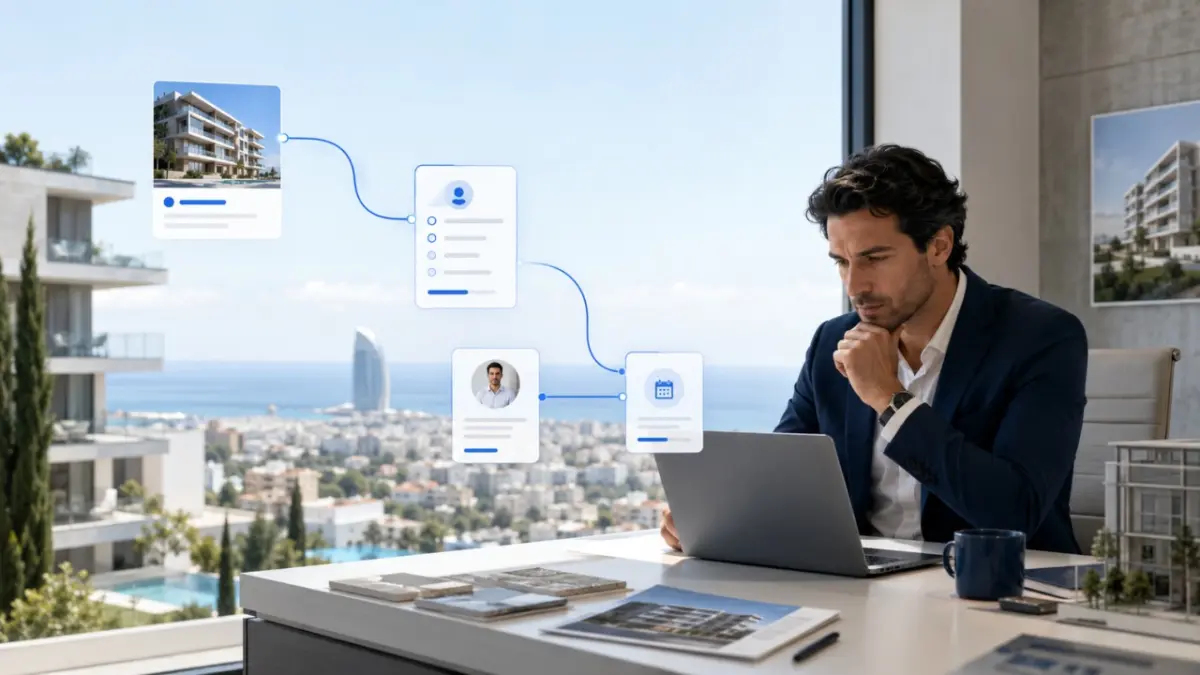
A development may receive enquiries through its website, portals, campaigns, referrals, events and agencies. Sales still depend on what happens next: current information, a clear owner and a defined action.
For developer lead generation in Cyprus, the practical task is to connect promotion, project distribution and follow-up in one traceable route. This guide shows how to prepare that route before increasing campaign activity or adding more agents.
What this guide helps you do
This process helps Cyprus development teams work from the same facts and track an enquiry from its source to a viewing, reservation and sale.
What to prepare first
Campaigns should not scale faster than the team’s ability to confirm availability and respond. Prepare:
- Approved project descriptions, floor plans and specifications.
- Current prices and a defined status for every unit.
- Payment terms and confirmed completion information.
- A named owner for project updates and each enquiry.
- Rules for agent access, reservations and duplicate enquiries.
- A CRM process that records source, project, unit interest and next action.
Step 1: Define the lead and the next action
Decide what the project needs before choosing channels. Brochure requests, viewing requests, agent introductions and funding enquiries require different responses. Define the desired action and its owner.
Qualify by project fit, unit type, intended use, budget range, timeframe, financing need and preferred next step. Keep the first form short enough to complete, but detailed enough to route the enquiry correctly.
Step 2: Control project and unit data
Give every unit a stable identifier and an explicit status: available, soft hold, reserved, contract signed, sold or unavailable. The developer website, sales team and participating agents should use the same approved price, floor plan and availability record.
Assign responsibility for approving changes. Update the controlled source before distributing a new price or status, so agents do not continue promoting a reserved unit or use an outdated plan.
Step 3: Give every channel one job
Use the website for complete project presentation and direct enquiries, portals for search visibility, paid search for active demand, social media for discovery, and events or referrals for introductions. Each route should preserve its source, campaign, project and unit when the lead enters sales.
Compare channels by qualified conversations, viewings, reservations and sales. Use the developer’s own pipeline data to assess which sources produce opportunities that progress.
Step 4: Build a controlled agent network
To find agents for projects, start with the official register, district agencies, industry events and professional introductions. Check licence status, development experience, language coverage, buyer markets and reporting.
Give selected agents current prices, availability, plans, payment terms, completion information and approved media. Agreements should define commission, lead ownership, duplicates, reservations and updates.
Step 5: Separate different enquiry types
For investor leads in Cyprus, do not place every investment enquiry in one group. A buy-to-let buyer needs a different route from a lender, family office or joint-venture partner. Confirm the transaction type, range, timeframe and decision authority.
Residential investors may need costs, rent assumptions, payment terms and legal status. Funding contacts may require planning information, budgets, structure and due-diligence documents. Track the pipelines separately.
Step 6: Assign, follow up and measure
Route each enquiry by project, language, buyer type, territory or agent relationship, but keep one owner. Confirm availability, qualify, send current materials, schedule the next action and record it in the CRM.
Track:
- Enquiries and qualified leads by source, project and unit.
- Time to first response and completion of follow-up tasks.
- Viewings, reservations, contracts and sales.
- Duplicate enquiries and unresolved ownership disputes.
- Changes in availability between enquiry and follow-up.
How the tools work together
The website presents the project; portals provide search reach; an MLS or distribution system shares inventory with agents; and the CRM manages contacts, activities, ownership and sales stages.
MLS RealtyHub can connect approved project and unit information with agent access and enquiry context. It complements the website, CRM and agent agreements.
Example: a 40-unit Limassol launch
A developer prepares an apartment project for local and international buyers. The team creates unit IDs, approves prices and plans, defines statuses and selects licensed agencies.
The process is:
- The website, agent materials and portal listings use the same facts.
- Campaigns lead to a project page rather than the company homepage.
- Each enquiry enters the CRM with source, project and unit interest.
- The owner confirms availability, budget, use and timeframe.
- The assigned representative arranges the viewing.
- Reservation and contract stages remain tied to the original source.
- A reserved unit is updated before further distribution.
The developer can now see which channels create demand that progresses.
Common mistakes
Lead activity stalls when information is old or nobody owns the next action. Avoid:
- Launching campaigns before prices and availability are approved.
- Sending enquiries to a shared inbox without assigning an owner.
- Recording the contact but losing its campaign or unit context.
- Letting agents work from old brochures or price lists.
- Treating every investor or partner enquiry as a residential buyer lead.
- Counting form submissions as qualified opportunities.
- Failing to agree on duplicate-enquiry and reservation rules.
- Measuring reach without following leads through to viewings and sales.
Final checklist
Before expanding reach, confirm that:
- Each project and unit has an approved, current record.
- Someone owns every data change and every new enquiry.
- Agents have current materials and written working rules.
- Forms and campaigns preserve source, project and unit context.
- Sales can verify availability before responding.
- Follow-up actions and outcomes are recorded in the CRM.
- Reports connect channels to qualified leads, viewings, reservations and sales.
Turn reach into a repeatable sales process
An effective process connects project data, distribution, accountable follow-up and reporting. It lets the developer expand reach while keeping each opportunity attached to the correct project and unit.
Review how inventory reaches agents and how enquiries are assigned. Request an MLS RealtyHub walkthrough to assess structured project distribution for your sales process.
Frequently asked questions
How do Cyprus developers generate qualified property leads?
Connect every channel to current project data, source tracking, qualification and a named owner. Measure how enquiries progress to viewings, reservations and sales.
What should be ready before a project campaign starts?
Prepare prices, availability, plans, areas, payment terms, specifications, completion information and relevant legal disclosures. Assign responsibility for updates and incoming enquiries.
What is the difference between an MLS and a CRM?
An MLS structures project and unit distribution. A CRM manages contacts, activities, ownership and sales stages. Together, they can keep the enquiry connected to the property that prompted it.