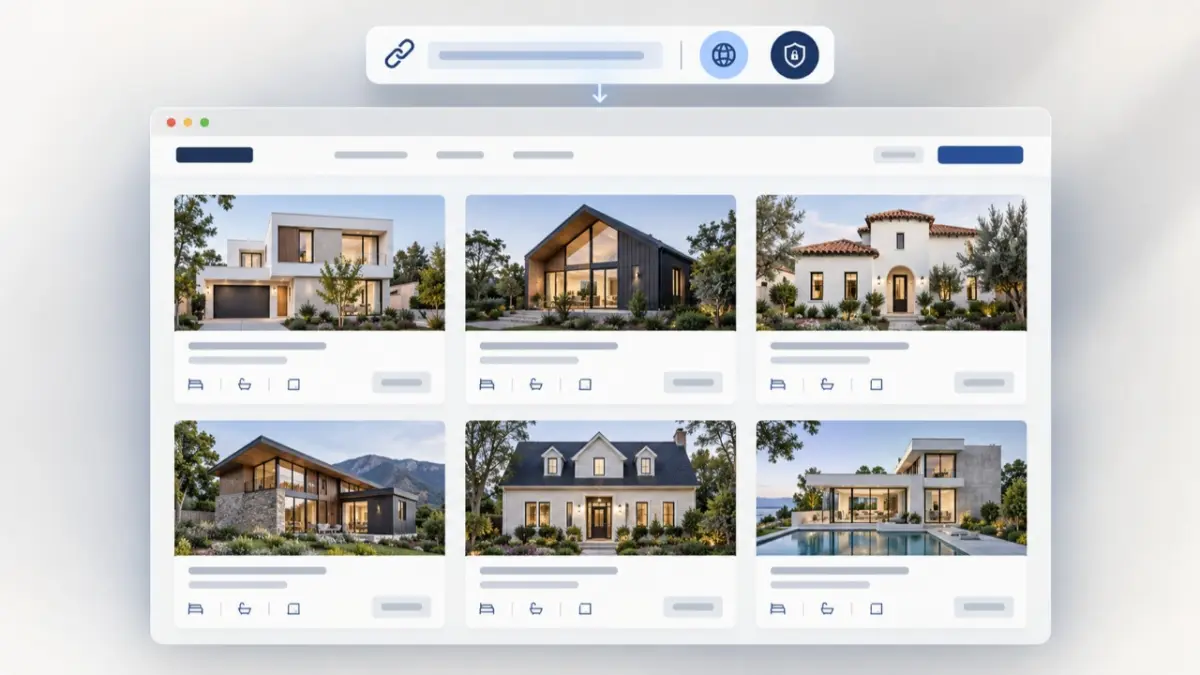
A buyer rarely needs another portal to learn. They need one clear place to review the properties chosen for them. Buyer Portal Catalogues in MLS RealtyHub let agents and developers prepare a client-facing catalogue, choose a supported public or private sharing mode and send access through a link. Instead of scattering property URLs across a conversation, the professional gives the buyer a single catalogue to open and review.
Turn a Chain of Links Into One Buyer View
Property recommendations often begin simply. An agent finds several relevant Listings and sends them to a buyer. As more options appear, the conversation fills with separate links, repeated explanations and questions about which property is still being considered. The buyer has to reconstruct the shortlist from the message history, while the professional has no single presentation to refer back to.
Buyer Portal Catalogues change the delivery format. The professional gathers the relevant property options into a catalogue and shares that catalogue as one web link. The result is a defined buyer-facing view built around the current task, not a collection of unrelated messages.
Who Uses Buyer Portal Catalogues
The main user is a real estate professional who has already identified a buyer or Lead and needs to present a group of suitable properties. For an agency employee, that may mean turning a completed search into a catalogue for a buyer who wants to compare several homes before arranging viewings.
Developer teams can use the same catalogue-based approach when they need to present a relevant group of available property options from their working inventory. The tool supports the presentation step. It does not decide which property is right for the buyer or replace the professional judgement behind the selection.
What You Need Before Sharing
The workflow starts with existing property information in MLS RealtyHub and a clear client context. The professional needs to know which buyer or Lead the catalogue is being prepared for and which Listings belong in that presentation. The catalogue is then created within the Selections area and prepared for link sharing.
Each selection is associated with a specific Lead, and catalogue access is provided through a shared link.
From Selection to Shared Catalogue
The interaction loop is short enough to fit into an existing client conversation:
- The professional identifies the buyer or Lead and the purpose of the property review.
- Relevant Listings are gathered into a client-facing catalogue in the Selections workspace.
- The user chooses the supported public or private catalogue mode appropriate to the sharing situation.
- MLS RealtyHub provides a catalogue link that can be sent to the intended recipient.
- The buyer opens one organised view instead of following a series of separate property links.
- The professional uses that shared catalogue as the reference point for the next conversation, comparison or viewing decision.
The user controls the choice of properties, the client context and the act of sharing. MLS RealtyHub processes those choices into a link-based catalogue view. It does not automatically select the best property, make a recommendation on the professional’s behalf or complete the next sales step.
Public and Private Sharing Serve Different Moments
A public catalogue is useful when the professional intends the catalogue to be openly shareable within the supported product setup. A private catalogue is intended for a more limited sharing situation, such as a selection prepared for one buyer. In both cases, the recipient reaches the catalogue through a link.
Available access controls depend on the current product setup. If password protection, link expiry or recipient verification is essential to a particular deal, the required configuration should be discussed during the product demonstration or account setup.
What the Buyer Receives
The output is one client-facing property catalogue available through a generated link. Its practical value comes from grouping the selected options into a single review point. The buyer can return to the same catalogue rather than finding and reopening each individual URL from a chat thread.
Receiving the catalogue does not give the buyer permission to edit the underlying Listings. The professional remains responsible for the selection and for checking the source information before sharing it. The availability of buyer reactions and interaction tracking depends on the Client Selection capabilities supported by the catalogue configuration.
A Typical Client Handoff
An agent is working with a buyer who has narrowed the search to a particular area and property type. Six Listings now fit the brief. Sending six individual links would make the buyer switch repeatedly between pages and messages, so the agent creates a catalogue for that Lead in MLS RealtyHub.
The agent places the six relevant options in the catalogue, selects the appropriate supported sharing mode and sends one link. The buyer now has one place to review the group. During the next call, both sides can refer to the same catalogue while deciding which properties deserve a viewing. The catalogue supports the review process, while viewing and purchase decisions remain with the buyer and the professional.
A Second Use for Developer Inventory
A developer sales employee may need to present a focused group of property options rather than an entire portfolio. A catalogue can provide that narrower buyer-facing view while keeping the presentation tied to Listings already maintained in MLS RealtyHub.
The developer still chooses what to include and remains responsible for the accuracy of the shared information. Buyer Portal Catalogues do not create Project or Unit records, set prices, change availability or replace the inventory-management process that happens before the catalogue is prepared.
Where the Tool Fits in MLS RealtyHub
Buyer Portal Catalogues sit inside the Catalogues and Buyer Collaboration area of MLS RealtyHub. This module covers the point where property discovery becomes a structured presentation for a buyer. It includes manual and criteria-based catalogues, Lead selections, presentation formats and supported buyer feedback workflows.
This page is narrower. It explains how public or private catalogue access is delivered by link. It does not replace the separate workflows for building a Smart Catalogue, recording buyer reactions, exporting a PDF or preparing a presentation around a single property.
Clear Boundaries Before You Share
Buyer Portal Catalogues organise the handoff, but they do not guarantee that a link will remain confidential after it is forwarded. They do not verify the buyer’s identity, provide legal protection for private inventory or create a formal client registration. Those outcomes require their own processes and should not be inferred from link sharing alone.
The tool also does not act as an automated recommendation engine. A professional selects the relevant options and decides what happens next. Availability, visibility settings and catalogue-specific controls depend on the current account configuration and should be reviewed before sensitive property information is shared.
Give Buyers One Place to Review the Options
See how your team can turn a focused property selection into a public or private link-based catalogue and use it as the starting point for the next client conversation.