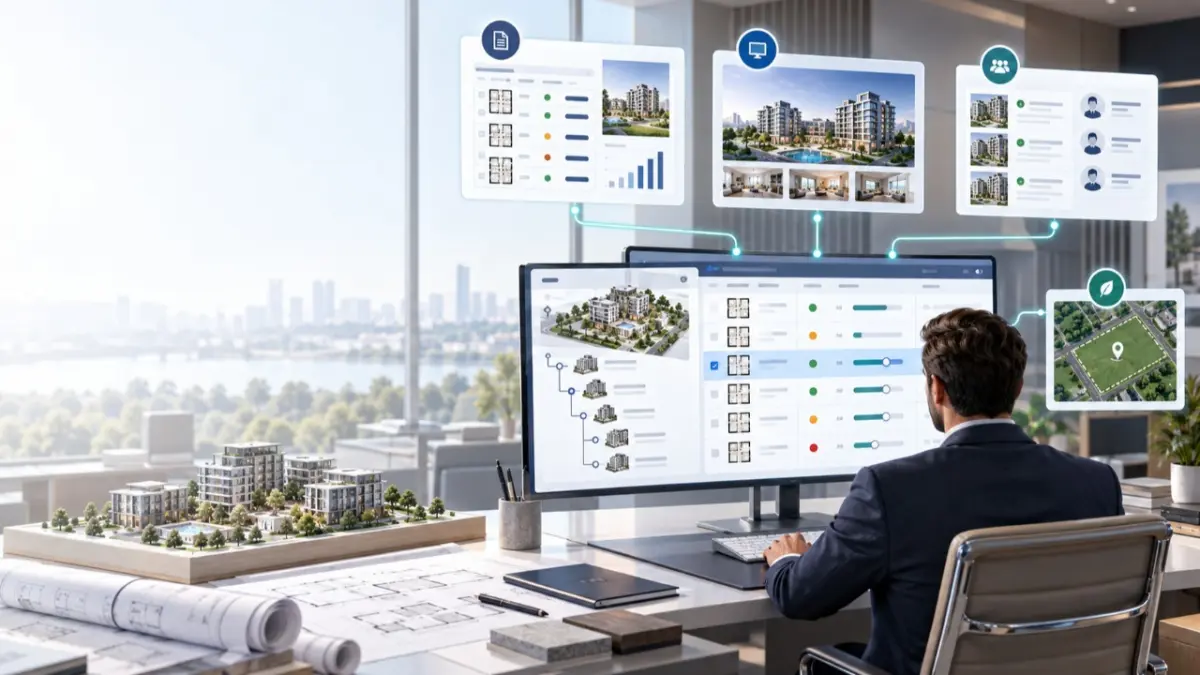
Manage a development as a structured Project and Unit environment, keep the underlying inventory current as the Project evolves, and use the same maintained information across supported professional outputs in MLS RealtyHub.
Why File-Based Project Distribution Becomes Hard to Maintain
Project information rarely stays unchanged after the first price list, presentation, or shared folder is created. Prices move, Units become unavailable, new media appears, and Project details change as the development progresses, while older spreadsheets, PDFs, email attachments, and shared-drive copies can remain in circulation. The larger the inventory and the wider the professional distribution network become, the harder it is to know which version still represents the current state.
This creates an operational problem for both sides. Developers have to maintain the inventory itself while repeatedly rebuilding or redistributing related materials, and agents may need to check whether the Project information they received earlier is still valid. Typical pressure points include:
- prices and availability becoming inconsistent across materials;
- similar Units being recreated repeatedly;
- static presentations outliving the information behind them;
- agents working from different versions of the same Project;
- every supported change creating another round of file updates and redistribution;
- Project information becoming harder to manage as the number of Units grows.
A stronger operating model is to maintain the Project and its Units as a structured source inside the platform instead of relying on a growing chain of detached file versions.
What Developer & Project Management Is
Developer & Project Management is the MLS RealtyHub Module for managing a real-estate development as a Project together with the Units linked to it. The developer creates and maintains Project-level information, creates Units, and updates supported prices, availability, media, and other information as the development changes.
The same maintained Project and Unit source can support several professional outputs without turning each one into an independent information set. Current Project views, project price-list outputs, live Project presentations, and professional access to Projects and Units can all rely on information maintained inside the same MLS RealtyHub environment.
Who the Module Is For
The Module serves both developers and professional agents, but their roles are different. The developer is the primary operator responsible for maintaining the Project and Unit source information, while agents and other authorised professionals mainly consume that information when reviewing supply, working with clients, or continuing into separate promotion and cooperation workflows.
Developer — the Primary Operator
The developer creates the Project, maintains Project-level information, creates and manages Units, and updates supported prices, availability states, media, and other information as the development evolves. The Project environment therefore begins with the information the developer maintains at source.
Agent — the Secondary Consumer and Promoter
Agents do not primarily manage the developer’s underlying inventory. They use Project and Unit information made available through MLS RealtyHub to understand relevant supply, compare alternatives, work with client requirements, and continue into other supported workflows such as promotion, catalogues, cooperation, or CRM processes.
The Project and Unit Model
The Module is built around two connected entities with different roles.
A Project, or Development, is the parent development entity and contains information that belongs to the development as a whole, such as location, Project type, description, distinguishing features, and shared media or materials.
A Unit is a Listing created through and linked to the Project. It carries its own supported property characteristics, commercial information, price, availability, media, and other relevant Listing-level information.
Keeping these levels separate allows the developer to change Unit-level commercial information without confusing it with Project-level data. A Project may represent one building or several buildings or blocks. Buildings and blocks are managed within the Project structure rather than as a separate Building system entity. Where relevant, a Unit can carry a building or block identifier while remaining part of the same Project structure.
Project Types the Module Can Support
The Module is not limited to one residential development format. Representative Project types include:
- Apartment Blocks;
- Houses Projects;
- Residential Projects;
- Office Buildings;
- Mixed Commercial Projects;
- Towers;
- Industrial Projects.
These examples demonstrate adaptability without implying that every possible Project category is supported.
How Developer & Project Management Works End to End
The workflow begins when a developer creates the development as a Project inside MLS RealtyHub and adds the information that describes it. This can include location, Project type, description, distinguishing features, and supported media such as photos, renders, and plans. Units are then created within the Project and maintained with their own supported characteristics, commercial information, prices, availability, and media.
As the development changes, the developer can update either the Project-level information or the information attached to individual Units. The maintained data then becomes the source for supported MLS RealtyHub views and outputs used by authorised professionals.
A typical scenario looks like this:
- The developer creates a Project in MLS RealtyHub.
- Project-level information and supported media are added.
- Units are created and linked to the Project.
- Each Unit receives its own supported characteristics and commercial information.
- Prices, availability, media, or other supported data are updated when needed.
- Supported Project views reflect the maintained information.
- The same source can support project price-list and presentation outputs.
- Authorised professionals can review relevant Projects and Units through the supported B2B environment.
The Module-level result is a maintained Project and Unit inventory inside MLS RealtyHub that can serve as the current source for supported professional discovery, price-list, and presentation outputs.
Maintain Project and Unit Information as the Development Changes
A Project is an ongoing operating environment rather than a one-time upload. Development inventory changes throughout its commercial lifecycle, and those changes can affect Project-level information, individual Units, or both.
At Module level, supported maintenance can include:
- creating and editing Project information;
- creating Units within the Project;
- cloning Units where appropriate;
- editing Unit characteristics and commercial information;
- increasing or decreasing asking prices;
- changing Unit availability;
- adding or removing supported media;
- changing media ordering;
- updating Project-level information as the development evolves.
Cloning can be useful when several Units share a similar structure. Instead of recreating common information each time, the developer can copy an existing Unit and change only the values that differ. Detailed create, clone, edit, and interaction mechanics belong to the dedicated Project Unit Management page.
Keep Price and Availability Current
For an agent reviewing developer inventory, current price and availability are fundamental. A Unit that appeared available in an earlier presentation may already have changed status, and an asking price may have been updated since the last price list was shared.
MLS RealtyHub allows the developer to maintain supported Project and Unit information, including asking prices and availability states, so applicable platform views and outputs can reflect the updated state. Information can be kept current, up to date, or near real time within supported MLS RealtyHub contexts. Update timing may vary, and changes are not automatically synchronised with every external file, portal, or recipient.
The business value is keeping the source current inside the platform rather than treating every commercial change as another independent file-distribution cycle.
Turn Maintained Data Into Project Price Lists
The Project Price List Generator allows maintained Project and Unit information to become the basis for a professional price-list output. The important point at Module level is not how the generator is configured, but where its information comes from.
When prices, availability, or other supported data are already maintained inside the Project structure, the price list can be produced from that source rather than treated as another separate data set. Detailed field selection, formatting, and generation controls remain on the dedicated child page.
Turn Maintained Data Into Live Project Presentations
Project presentations solve a different communication need. Instead of focusing on a structured price-list output, they provide a presentation layer around the development and its available information.
MLS RealtyHub supports Live Project Presentations based on the underlying maintained Project and Unit context. This allows the presentation layer to stay connected to the source information used inside the platform. Update timing and interactive behaviour may depend on the supported presentation context.
How Other Professionals Access the Project
The B2B Project Marketplace gives authorised market participants a professional environment for discovering Projects and reviewing the Project and Unit information made available to them. It provides another side of the same operating model: developers maintain the source, while authorised professionals access the information they need for their work.
Professionals can use the environment to review relevant supply, understand Project characteristics, and compare alternative Projects. The B2B Project Marketplace is a professional environment rather than an open consumer marketplace, formal investment-analysis product, or scoring system for determining which Project is objectively better.
An Additional Developer Benefit: Land Offers
Land Offers for Developers sits beside the main Project-management workflow rather than inside it. Its role is to give developers access to relevant land opportunities made available by agents through the supported professional environment.
Agents can create land Listings and make them available to developer users through this workflow, adding another professional supply-discovery benefit for developers. Detailed publication, visibility, and interaction mechanics remain outside this Module page.
What Information Goes Into the Module
The maintained Project environment is built from source information supplied and updated by the developer. Project-level inputs can include location, Project type, description, distinguishing features, and media such as photos, renders, and plans.
Unit-level information can include:
- supported property characteristics;
- commercial information;
- asking prices;
- availability states;
- Unit media;
- other supported Listing-level information.
The exact field structure belongs to the relevant child capabilities. At Module level, the key principle is that Project and Unit information is maintained as structured platform data instead of existing only inside detached presentation files.
What the Developer Controls
The developer remains the main operator of the Project inventory. Project creation, Unit creation and cloning, commercial updates, media changes, and availability management are driven by the user rather than independently decided by the system.
The developer also controls how supported Project and Unit information is maintained and how it participates in the relevant presentation or professional availability workflows. MLS RealtyHub provides the operating structure around those decisions.
What MLS RealtyHub Handles
The system maintains the relationship between the Project and its Units, stores supported Project and Unit information, and reflects supported changes across applicable MLS RealtyHub views and outputs.
It also provides the professional B2B Project discovery environment and the relevant Project-output capabilities. Updates apply within supported MLS RealtyHub contexts and do not extend automatically to every external destination.
What Agents and Other Professionals Do
Agents and other authorised professionals mainly work with the information that developers have made available. They can discover and review Projects or Units, use current Project information when working with clients or professional market opportunities, and continue into other MLS RealtyHub processes when the task moves beyond Project management.
Those later workflows may involve promotion, cooperation, catalogues, CRM activity, or other supported product areas. Their detailed mechanics remain outside this Module.
Project and Unit Analytics
Projects and Units have an analytics layer inside MLS RealtyHub. At Module level, it provides analytical context around Project and Unit inventory.
This Module does not define specific KPIs, financial forecasts, investment scoring, performance predictions, or competitor-analysis outputs.
What the Module Helps Developers Do
The main value of Developer & Project Management comes from replacing fragmented file handling with one maintained operating structure. The developer maintains the Project and Unit information at source, while supported professional views and outputs use that same maintained context.
This can help developers:
- keep Project and Unit information structured as inventory changes;
- reduce repeated rebuilding and redistribution of Project materials after supported data updates;
- help authorised professionals work from current Project and Unit information available in MLS RealtyHub;
- manage different Project types through the same operating model;
- generate supported professional outputs such as project price lists and live presentations;
- make maintained Project information available to authorised professional agents;
- access land opportunities made available through the relevant professional workflow.
The value lies in maintaining the source itself instead of constantly managing new detached versions of the same information.
Where This Module Stops
Developer & Project Management covers the developer-side Project operating environment, but it does not replace neighbouring MLS RealtyHub Modules. Generic Listing lifecycle belongs to Listings & Inventory Management, Project Map Search and general search mechanics belong to Search, Maps & Discovery, catalogue and Client Selection workflows belong to Catalogues & Buyer Collaboration, public syndication belongs to Marketing & Digital Presence, and market analysis or GIS belong to Market Intelligence, Data & GIS.
The Module also does not reproduce the full mechanics of Project Unit Management, Project Price & Availability Updates, B2B Project Marketplace, Project Price List Generator, Live Project Presentations, or Land Offers for Developers. Those child pages remain necessary because they explain interactions this Module intentionally keeps at business-area level.
What the Module Does Not Promise
A maintained Project source can reduce fragmentation and repeated file work, but it does not provide unlimited automation. Developer & Project Management does not guarantee zero-latency synchronisation, universal instant updates, absolute data accuracy, elimination of every manual check, faster sales, higher revenue, or improved conversion.
The Module also does not provide formal investment advice, competitor scoring, public syndication mechanics, Project Map Search mechanics, or market analytics. MLS RealtyHub is a professional B2B operating environment and should not be confused with the separate B2C marketplace products RealtyHub.cy or Realty.com.cy.
Capabilities Supporting Developer & Project Management
Several capabilities support different parts of the same Project-management environment:
- Project Creation & Management — maintains the Project as the parent development entity;
- Project Unit Management — creates, clones, and maintains Units linked to the Project;
- Project Price & Availability Updates — supports current Unit commercial states within the applicable MLS RealtyHub context;
- B2B Project Marketplace — gives authorised professionals access to Project and Unit information;
- Project Price List Generator — creates a price-list output from maintained Project and Unit data;
- Live Project Presentations — provides a current presentation layer based on maintained Project information;
- Project and Unit Analytics — provides analytical context without defining a specific metric set;
- Land Offers for Developers — provides access to relevant land opportunities through the supported professional workflow.
These capabilities solve different parts of the same business problem: maintaining Project information once and using that maintained source across the professional workflows MLS RealtyHub supports.
Keep the Project Current at the Source
Maintain the development as one connected Project and Unit structure, update supported information as inventory changes, and use that maintained source across professional price-list, presentation, and discovery outputs in MLS RealtyHub.