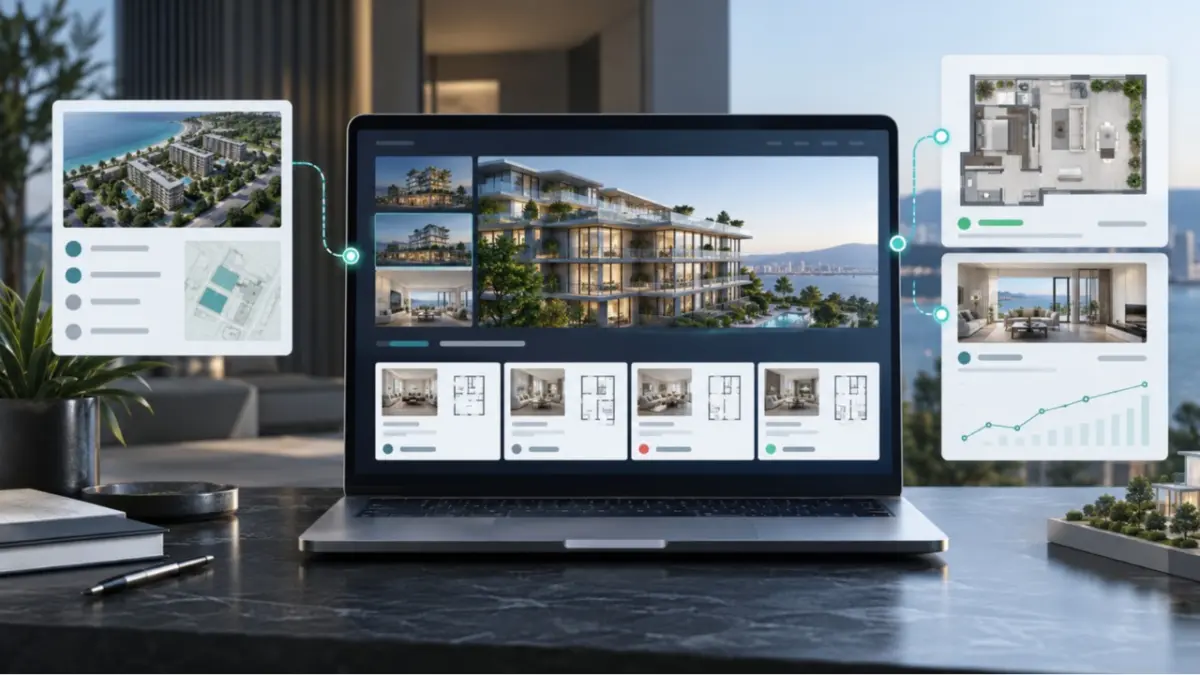
A project presentation starts ageing the moment it is exported. A price changes, a unit becomes unavailable or a new floor plan is added, but the file already sent to an agent or buyer stays the same. Interactive Project Presentations in MLS RealtyHub replace that fixed handout with a web link built from the project and unit information maintained on the platform. The recipient opens a clear project view, while the developer or agent avoids creating another copy each time the information changes.
Keep the presentation connected to the project
The tool has one practical job: present a development and its related units without separating the sales view from the working project data. The developer maintains the project in MLS RealtyHub, including its characteristics, media, specifications, prices and availability. The presentation uses that current information instead of asking the user to rebuild the same material in another file.
This matters when several agents are introducing the same development to different buyers. A conventional PDF records one moment. A live presentation remains connected to the project and reflects changes made by the author, including updates to photos, plans, specifications, prices and unit availability.
Who uses the tool and when
The primary user is a developer sales professional responsible for presenting a project while its inventory is still changing. The tool is useful after the project and its units have been added to MLS RealtyHub and before information is sent to a prospective buyer or an agent working with that buyer.
Agents can also generate an interactive presentation from a developer project available to them on the platform. They can choose a branded or unbranded version according to the way they intend to present the project. The developer remains the author of the underlying project and unit information; generating a presentation does not give another user permission to rewrite that data.
What the presentation needs
The quality of the output begins with the records behind it. Before generating a presentation, the project author maintains the project-level information and the linked units that should appear in the current project view. Depending on what has been added to the project, this may include:
- project description and characteristics;
- location and construction information;
- photographs and renders;
- plans, presentation files and specifications;
- linked units and their characteristics;
- the current asking price and availability of each unit.
The tool does not independently decide whether a price or status is correct. It presents the current values maintained by the author in MLS RealtyHub. If a project record is incomplete or has not been updated, the presentation cannot correct that information on the author’s behalf.
From project record to shareable link
The interaction is deliberately short. The user starts from a project in MLS RealtyHub, opens the presentation option and chooses whether the output should be branded or unbranded. The result is an electronic link rather than a downloaded presentation file. The complete working loop is:
- The developer creates and maintains the project and its connected units in the project workspace.
- The developer or agent selects the project to present.
- The user chooses a branded or unbranded presentation.
- MLS RealtyHub assembles the web presentation from the project and unit information.
- The user sends the link to the intended recipient through the appropriate communication channel.
- The recipient opens the link and reviews the current project view.
- If the project author later changes the project information, the linked presentation reflects the new state without requiring the sender to export and distribute another file.
The user controls which project is presented and which branding format is used. MLS RealtyHub reuses the maintained data in the live web view. The project author remains responsible for the content and for keeping the project record current.
What the recipient receives
The output is a landing page for the development, with the project information and related units available in an interactive web format. The recipient can return to the same link to review the current state rather than search through several attachments to determine which version is newest.
Current price and availability can appear in the presentation when maintained in the project record. If a unit is no longer available, its updated state is reflected in the live view. The recipient sees the current asking price, not a history of earlier price values. Price history remains available to authorised users inside the MLS RealtyHub workspace.
A typical project handover
Consider a sales manager for a developer preparing information for an agency partner. The project contains its description, renders, plans and a set of linked units. Before sending anything, the manager reviews the project records and updates the status of a unit that is no longer available. The manager then creates an unbranded interactive presentation and sends the link to the agent.
The agent opens the project, studies the available units and passes the presentation to a buyer as part of the sales conversation. Later, the developer changes an asking price and adds a revised plan to the project record. The presentation link now shows the current information. No one needs to identify the old attachment, export a replacement and ask every previous recipient to disregard an earlier file.
A shorter scenario for an agent
An agent may already be discussing a specific development with a buyer when the buyer asks for the latest unit options. Instead of downloading project materials and assembling a new document, the agent opens the project in MLS RealtyHub, chooses the appropriate branded or unbranded presentation and shares the resulting link.
The link gives the buyer a current project view, while the agent can continue the conversation in the communication channel already being used. Client reactions, lead-specific selections and viewing requests belong to separate workflows and are not part of the project presentation itself.
Why the live format changes the workflow
The benefit comes from removing a duplicate publishing step. The project and its units are maintained once, then reused in a presentation designed for external viewing. This produces several direct operational advantages:
- the sender works from the project already maintained in MLS RealtyHub;
- the recipient can revisit one link instead of comparing differently dated attachments;
- updates to the project appear in the live presentation;
- branded and unbranded versions support different presentation contexts;
- the developer retains authorship of the underlying project information.
These advantages do not guarantee that every recipient has seen an update or that every external copy has disappeared. The tool keeps the web presentation connected to the maintained project information; it does not control screenshots, downloaded materials or information copied into another system.
Where it fits in developer operations
Interactive Project Presentations is a live tool within the Developer and Project Management module. That module covers the working structure behind a development: projects, connected units, commercial information, availability and presentation outputs. The presentation is the outward-facing step in that process, not the place where the project inventory is created or governed.
This separation is important. Project and unit management supplies the information. The interactive presentation turns the relevant part of that information into a shareable web view. A project price list generator creates a different output, and a PDF presentation remains a static export. Keeping these jobs distinct makes it clear what will continue to update and what will not.
Boundaries to understand before sharing
Interactive Project Presentations is live in MLS RealtyHub, but its scope is specific. It presents project and unit information through a branded or unbranded link and reflects updates made to the project. It does not replace the work of maintaining the project, verify commercial data against the market or turn an exported PDF into a live document.
Keep these boundaries in mind:
- the presentation reflects information entered and maintained by the project author;
- recipients see the current asking price, not previous price values;
- a downloaded PDF does not update after it has been sent;
- the presentation does not grant recipients or agents permission to edit the developer’s project records;
- field visibility, package access and presentation settings may vary by account.
Present the project without creating another ageing copy
See how Interactive Project Presentations can fit the way your team maintains developments, works with agents and shares current unit information.