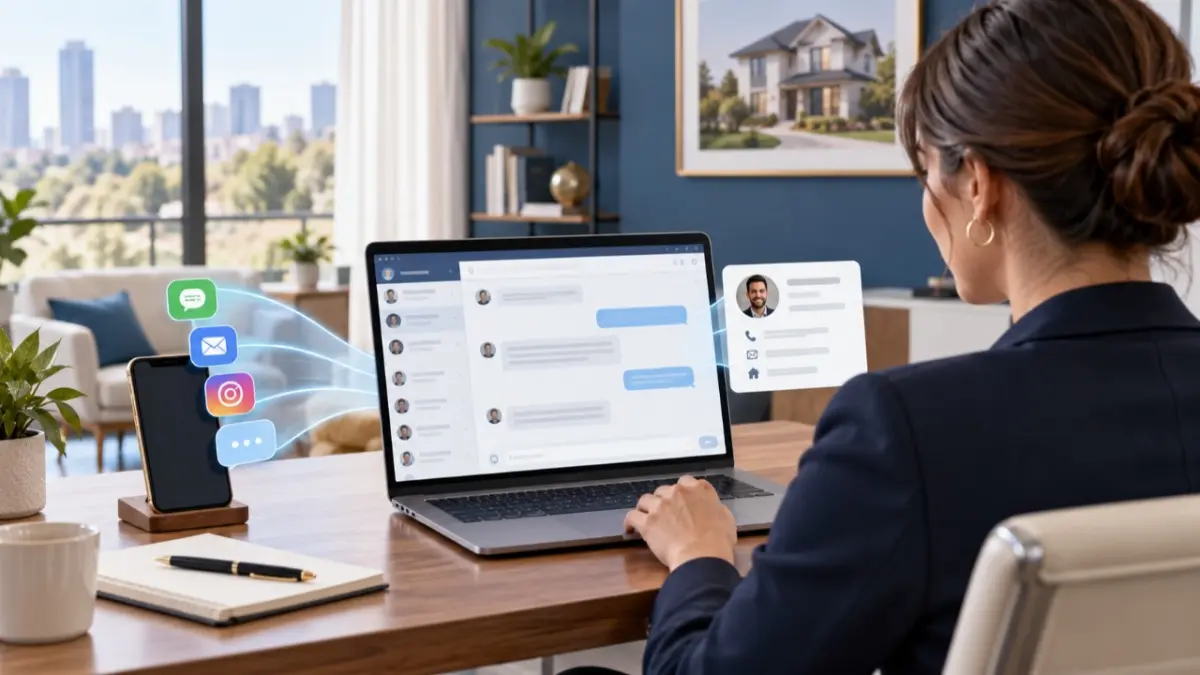
An important enquiry can arrive in the least convenient place: a personal WhatsApp account, an Instagram conversation, Telegram or another connected channel. The WazzUp24 Omnichannel Integration brings supported chats into one workspace in MLS RealtyHub, so an agent or developer sales professional can follow the conversation there and turn a relevant incoming enquiry into a lead for further work.
The problem is not the number of channels
The real difficulty begins when each channel becomes a separate workplace. A conversation starts in one app, client context remains in another, and the next sales step has to be recorded somewhere else. The more often a professional switches between these places, the easier it is for an actionable enquiry to remain only a chat.
The integration connects MLS RealtyHub with WazzUp24 for a specific purpose: it makes supported WazzUp24 conversations available in one communications workspace. WazzUp24 remains the messaging provider.
Three jobs in one workflow
The workflow is easier to understand when each system has one clear job:
- The messaging channel is where the client starts or continues the conversation.
- WazzUp24 connects and processes supported channel conversations.
- MLS RealtyHub provides the working window where the professional can handle the chat and, when appropriate, create a lead from the incoming conversation.
The integration gives professionals access to connected chats and the option to create a lead. Data fields, message metadata and other technical details depend on the configuration.
Supported channels depend on WazzUp24
The MLS RealtyHub integration supports WhatsApp Personal, WhatsApp Business, WABA for business messaging, Instagram, Viber and Telegram. Other channels depend on WazzUp24 support and the specific setup.
“Omnichannel” describes one workspace for channels connected through the provider. It does not mean that every messenger or social network is automatically available.
From an incoming message to a deliberate next step
The integration shortens the distance between a conversation and organised follow-up. The professional decides when a chat should become a lead.
- A client sends a message through a channel connected to WazzUp24.
- The conversation becomes available in the WazzUp24 communications workspace inside MLS RealtyHub.
- The agent or developer sales professional reviews the message and continues the dialogue from that workspace.
- If the enquiry is relevant, the user creates a lead from the incoming conversation.
- The lead becomes the starting point for the next stage of work in MLS RealtyHub.
Lead creation is available from an incoming chat. New messages do not automatically become leads.
When the integration earns its place
The clearest value appears when a professional already communicates across several supported channels. Instead of treating each inbox as a separate routine, the user can work from one communications surface and move a qualified enquiry into the lead workflow without rebuilding the context from memory. This can support three practical improvements:
- fewer switches between connected messaging applications during the working day;
- a clearer transition from informal conversation to an organised lead;
- one place to continue supported client dialogue within the wider MLS RealtyHub workflow.
The professional still needs to assess each enquiry, respond to the client and decide on the next sales step.
A practical example for an agency agent
Maya receives an Instagram message about a property she is representing. Because that channel is connected through WazzUp24, she can open the conversation in the MLS RealtyHub communications workspace, clarify what the person is looking for and decide whether the enquiry is worth pursuing. Once the request becomes specific, she creates a lead from the chat and continues the work as an organised client process rather than leaving it as an isolated message.
The same mechanism can support a developer sales professional handling an incoming question about a project. The subject changes, but the decision stays the same: continue the conversation, assess the enquiry and create a lead when there is a real next step.
What you control and what the integration handles
The integration makes supported chats available in the MLS RealtyHub workspace. The professional decides what to say, whether the enquiry is relevant and whether to create a lead:
- WazzUp24 handles the connected messaging channels and chat processing.
- MLS RealtyHub provides access to those chats in its communications workspace.
- The user conducts the conversation and initiates lead creation.
- Further lead work takes place within the relevant MLS RealtyHub process.
Local Insights and COMMUNITY concern an internal professional feed. WazzUp24 Omnichannel Integration concerns direct conversations from connected external messaging channels.
Setup and boundaries to confirm
Using the integration requires a WazzUp24 connection and supported channel configuration. Before rollout, discuss the setup, access permissions and commercial terms for your organisation and the channels you want to connect.
WazzUp24 processes the connected chats, while MLS RealtyHub provides access to them within the professional workflow. Message retention, available data fields and provider terms depend on the agreed configuration.
Current availability
WazzUp24 Omnichannel Integration is live in MLS RealtyHub. It provides a workspace for supported chats and the ability to create a lead from an incoming conversation. Available channels and provider capabilities depend on the connected account and its configuration.
Turn connected chats into an organised workflow
If your team uses several supported messaging channels, discuss the channels, access requirements and lead workflow you want to connect before rollout.