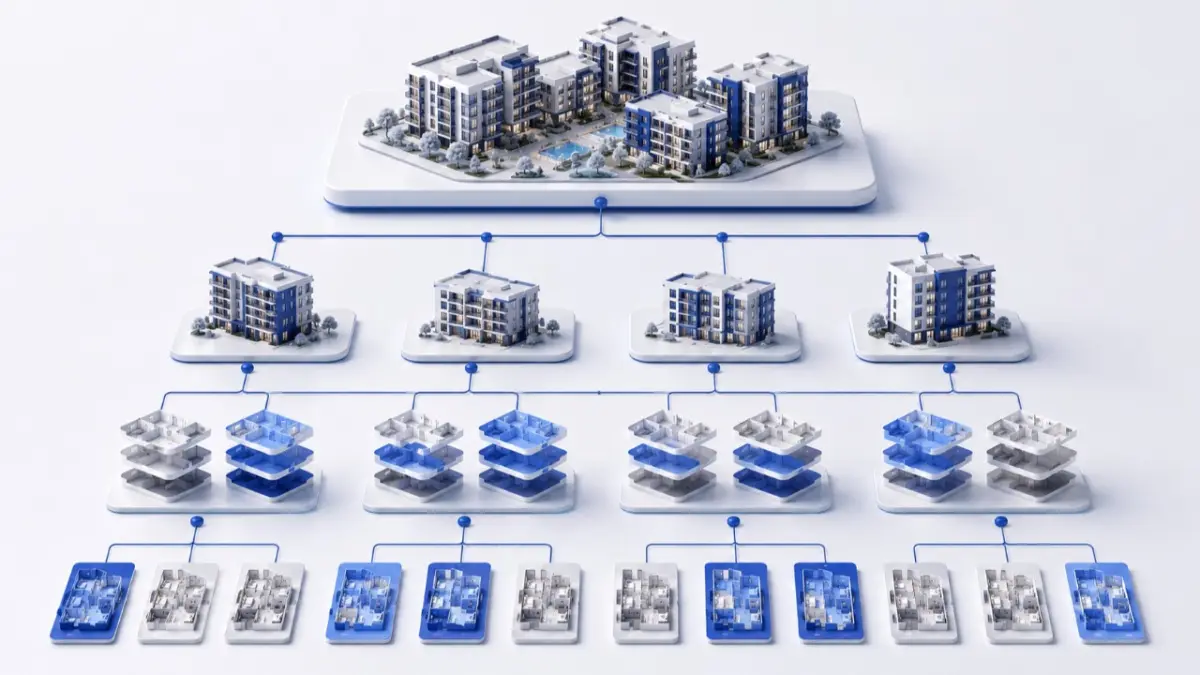
A software interface allows one system to request structured property data from another under defined rules. Through an MLS API, a website, CRM, or application can receive approved information without manually copying listing records. Access, available fields, and update speed are determined by the data provider, so there is no single open interface shared by every MLS.
What an MLS API Is
An API is an interface for communication between systems, not the screen where an agent completes a listing. The user works in an MLS dashboard, while an application sends a technical request and receives a structured response. This response may contain the price, status, address, coordinates, specifications, images, office details, and agent information. Platforms designed for new developments may also provide project and individual unit data.
The contents depend on the recipient’s permissions. A public website may receive only part of a record, while a broker’s tool can access additional information. Access is normally issued to an MLS participant, broker, or approved technology partner. Licensing terms govern how the information may be displayed, stored, and redistributed.
How an API Differs from an MLS Dashboard and Data Feed
A person creates and edits a listing through the dashboard. The API gives approved systems a repeatable way to request selected fields, but it does not replace the agent interface, data validation, or the right to publish a property.
An MLS data feed normally refers to a stream that the recipient retrieves or receives on a schedule. It may consist of a CSV or XML file, a full export, or a collection of changes from a defined period. An API supports more precise requests and potentially more frequent updates, but requires authentication, field mapping, and technical limits to be managed. The appropriate delivery method depends on the required data freshness and the capabilities of both systems.
Where IDX, RETS, and the RESO Web API Fit
These concepts describe different parts of the process. IDX primarily governs the public display of listings in markets that use this model. It is not a separate database or a universal technology for every country. RETS is an older real estate data transfer standard that has been replaced by modern web interfaces in many integrations.
The RESO Web API establishes a common technical approach to queries and data structure. RESO does not grant access to listings or supply the data. A particular MLS or authorized provider determines the service address, authentication method, available resources, limits, and licensing terms. Two implementations can still offer different fields and update rules even when both follow the same standard.
How Listing Data Reaches Other Systems
An authorized participant first creates or changes a record in the primary platform. Once it has been checked, the permitted part becomes available to connected applications. The data may then follow several routes:
- A website requests properties approved for public display.
- A CRM receives references to suitable listings for client work.
- An agent application presents current information on a phone.
- A partner portal displays available projects or units.
- An analytics tool processes an approved dataset.
This does not mean every channel changes at the same moment. The source may update a status immediately, the website during its next request, and a portal after its next scheduled export. Effective MLS integration therefore requires rules for synchronization, error handling, and confirmation of the last successful update.
Which Operational Problems Integration Solves
Without automated exchange, the same record may appear in the MLS dashboard, on a website, inside a CRM, and in internal files. Employees repeatedly enter prices and specifications, while every correction must be copied to each channel. The more independent copies exist, the more likely a buyer or partner is to see an outdated price or unavailable property.
A properly configured integration reduces repeated entry and keeps distributed copies connected to the primary record. It can also:
- apply consistent field names and formats;
- deliver status changes to connected channels;
- reveal failed requests and synchronization issues;
- restrict data according to the recipient’s role;
- preserve the property identifier between systems.
An API does not correct an error in the source record; it distributes the information it receives. The result therefore depends on both the technical setup and the quality of the original data.
API, Batch Export, or Manual Import
An API is useful when a system needs selective requests and frequent updates. The recipient can request active properties, changes made after a particular time, or specific fields. This flexibility requires development work: authentication must be configured, request limits observed, paginated results processed, and temporary failures retried safely.
A batch exchange is simpler when information can be updated every few hours or according to another schedule, although a delay arises between creating and processing the file. Manual import is suitable for a one-time migration or a very small dataset, but takes more time and creates a greater risk of omissions in everyday work. Data feed integration must cover not only the file format but also update order, removal of expired records, and the response to an incomplete upload.
Why Fields Must Be Mapped
Even similar systems may store the same characteristic differently. The source may provide a price as ListPrice, while the receiving platform expects listing_price. Status values can also differ: a property temporarily withdrawn from the market cannot be treated automatically as sold.
Before launch, the team creates a field map and defines required values and conversion rules. It must separately check area units, currencies, time zones, address formats, property types, and relationships between projects and units. A mapping error may not stop the exchange technically, yet it can change the meaning of the information shown in the receiving system.
How a CRM Works with an MLS
A CRM stores information about people and interactions, including contact details, preferences, enquiries, tasks, and communication history. An MLS or listing platform manages properties, statuses, media, and availability. A CRM with MLS integration connects these contexts without turning the CRM into a second independent property catalogue.
For example, a buyer saves a search on the website, and the criteria and activity enter the CRM. The system matches them with approved listings and informs the agent about a suitable property or price change. The client record retains its link to the property and the history of the relationship, while current specifications continue to come from the listing source. This reduces the risk of an agent working with an outdated copy held inside the CRM.
A Workflow for an Agency
The agency obtains permission to use the data and connects its website to the available interface. Once fields are mapped, the website shows only records approved for public display. The CRM connects a viewing or enquiry to a contact but does not become the owner of the original listing.
When a price or status changes in the MLS, connected systems retrieve the update according to the configured schedule. The team should be able to see the time of the last synchronization and receive an alert when an error occurs. Otherwise, an automated process may stop unnoticed while the website continues to show old information.
A Workflow for a Developer and Its Partners
A developer manages the project and unit availability in the primary system, while approved agencies receive only the information intended for them. When a unit is reserved or sold, its source status changes and the new value is sent to partner portals, websites, or internal tools. This approach reduces dependence on PDF price lists and disconnected spreadsheets.
The ability to exchange individual unit data depends on the platform structure and access rights. Not every MLS supports new developments or private partner networks. Before integration, the company must examine the data model, visibility levels, and whether the project owner can revoke access without deleting the primary record.
What to Check Before Connecting
Technical documentation is only one part of the assessment. Before development begins, establish:
- who grants access and on what basis;
- which fields and property types are available;
- how authentication works;
- whether request limits or delays apply;
- whether storage and redistribution are permitted;
- how the system reports errors;
- who provides support after launch.
The company should also examine data export, change history, credential protection, and the integration’s behavior when the schema changes. After launch, the team must be able to identify where a record came from, when it was updated, and why a particular field was not delivered.
Frequently Asked Questions
Can anyone access an MLS API?
No. The specific MLS or data provider sets the conditions. Access usually requires broker participation, a license, an agreement with an approved provider, or separate authorization.
Does an API deliver every change instantly?
Not always. The interface may support frequent requests, but actual speed depends on source updates, the recipient’s schedule, caching, and external channels.
What is the difference between an API and IDX?
An API is a technical method of exchange, while IDX governs public display in certain MLS markets. One does not replace the other.
Can an MLS connect to any CRM?
Only if the CRM supports the required interface directly or through middleware. Data permission, field mapping, and synchronization rules are also required.
Why do APIs have request limits?
Limits protect the service from excessive load and define an acceptable request frequency. The integration must respect them and avoid retrying failed requests indefinitely.
Does the integration require maintenance after launch?
Yes. A provider may change fields, authentication, or access rules, while synchronization errors require monitoring. Without maintenance, an active connection can eventually begin delivering incomplete information.
Author
This material was written by Maria Vashchenko.
For questions, collaboration, or further discussion, feel free to contact me on LinkedIn.