Construction Updates MLS Cyprus
Follow a practical process for preparing progress photos, verifying construction milestones, updating a project in an MLS and sharing the current version with agents.
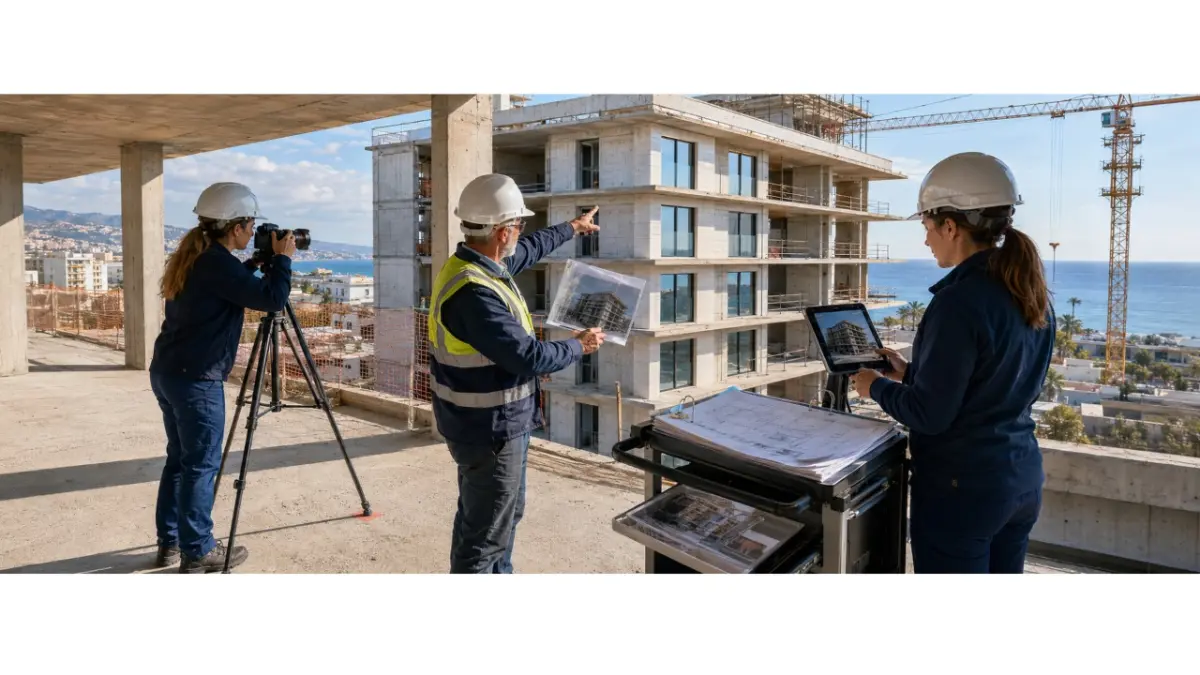
This guide shows developers how to turn a confirmed change on site into a clear project update. The process covers recording the milestone, preparing photographs, checking the effect on delivery dates and availability, updating the main project record and giving agents access to one current version instead of several disconnected files.
Who this guide is for
The process is designed for property developers, project managers, marketing and sales teams, site personnel and employees responsible for working with agents. It applies to residential, commercial and mixed-use developments where project information changes throughout construction.
After implementing the process, the team should know:
- which events require publication;
- who confirms the construction milestone;
- which photographs must be taken;
- how to label the materials;
- where the project should be updated;
- what agents need to receive;
- which version should be archived;
- who owns the next update.
What counts as a construction update
A valid update is a confirmed change in the project that affects how the property is presented to buyers, agents or partners. New photographs without a date, caption or verified milestone do not provide enough context on their own.
An update may cover:
- the start of construction;
- completion of a defined milestone;
- a change in the status of a building;
- completion of a show unit;
- a revised expected delivery date;
- a new price;
- a change in availability;
- reservation or sale of a unit;
- revised plans;
- correction of previously published information.
An MLS record, website post or marketing gallery does not replace an engineer’s report, permit, certificate or other official evidence. Technical or legal claims should only be published after confirmation by an authorised professional.
What to prepare
Before publishing the first update, define the main source of project information and assign clear responsibilities. Without this foundation, photographs may be updated separately from delivery dates, prices and statuses.
Prepare:
- the approved project name;
- an internal project identifier;
- building names and numbers;
- unit identifiers;
- the current confirmed stage;
- the previously published stage;
- a list of milestones;
- the person responsible for site information;
- the person responsible for approval;
- photography rules;
- required camera angles;
- a file-naming template;
- a caption template;
- the date and location of the shoot;
- a contact for questions;
- a list of publication channels;
- a list of agents and partners;
- an archive of previous versions.
This foundation also supports developer portfolio management, particularly when several projects or buildings are under construction at the same time.
Which events require an immediate update
Not every change needs to be published on the same day. Information that affects a buyer’s decision or an agent’s work should, however, be revised as soon as it has been confirmed rather than waiting for the next scheduled photo report.
This includes:
- a new price;
- a change in unit availability;
- a reservation;
- a completed sale;
- a revised delivery date;
- a changed layout;
- an updated floor area;
- a confirmed new construction stage;
- completion of a building;
- a newly approved plan;
- correction of an error;
- receipt of an official document that may be published.
Regular galleries can follow a schedule or a major milestone. There is no universal frequency because one site may change visibly every week while another only produces meaningful visual progress after a larger phase has been completed.
How to prepare an update
The process can be organised into eight practical steps.
- Record the event
- Define exactly what has changed and why it matters. Do not start with the photography until the team understands which fact the materials are expected to support.
- Collect information from the site
- Site personnel confirm what is physically visible, the relevant building or zone and the date. The project manager decides whether the milestone can be treated as complete and whether it affects the schedule.
- Take the required photographs
- Use agreed shooting positions. Include a site overview, the relevant building and details that make the reported stage visible.
- Connect every file to the project
- Each image should have an identifiable project, date, building, stage and sequence number. Do not combine several buildings in one gallery without clear labels.
- Verify the facts and related information
- Check whether delivery dates, prices, layouts or availability have changed. The sales team confirms commercial information, while the project manager or engineer approves technical statements.
- Update the main source
- Revise the controlled project record before updating secondary channels. Uploading a project to an MLS should not create another version that exists independently of the company’s internal data.
- Publish and share the current version
- Review the wording, date, photographs, price and status as they appear after publication. Inform agents what changed and where the latest record can be found.
- Remove the previous version from active use
- Move outdated materials to an archive and record the replacement date. Note who made the change, who approved it and which channels were updated.
How to prepare progress photos developers
The purpose of the shoot is to make different stages comparable, not simply to create another gallery. Consistent viewpoints and a repeatable image sequence make the change between reporting periods easier to understand.
A useful set may include:
- an overview of the site;
- a front view of the relevant building;
- the façade;
- internal works;
- mechanical, electrical or plumbing works;
- landscaping;
- a detail supporting the reported stage;
- a comparison shot from the same position as the previous report.
Professional property photography may include exposure correction, colour adjustment and careful cropping, provided the edit does not change the factual content of the image.
Do not:
- publish an old photograph as a new one;
- present a visualisation as a site photograph;
- conceal important details through editing;
- combine images from different buildings without labels;
- use photographs without the necessary rights;
- publish identifiable people or documents without permission;
- breach site-safety rules during the shoot;
- use drone photography without the required permissions.
How to name files and write captions
A clear file name should identify the project, building, stage and date without requiring someone to open the image.
A practical structure is:
ProjectName_BlockA_FacadeStage_2026-07-30_001_SiteTeam.jpg
The caption should explain:
- which project is shown;
- which building or area appears;
- which stage has been recorded;
- what is visible in the image;
- when the photograph was taken;
- who supplied it;
- whether it has been approved.
Example:
“Block B following completion of the façade works on 30 July 2026. West elevation. Photograph supplied by the site team and approved for publication.”
Any architectural visualisation displayed alongside the photograph should be clearly labelled as a visualisation.
Example construction gallery
A gallery for a fictional project called Lumia Residences could contain eight images.
Image 1 — Site overview
Shows the development site and the position of the buildings. The caption includes the project, date and current stage. A distant photograph with no visible milestone provides little practical value.
Image 2 — Block A
Records the condition of one specific building. The building name is essential because agents need to know which part of the development the image represents.
Image 3 — Façade
Shows installed windows and completed façade work. The site photograph should not be mixed with an architectural visualisation without a clear label.
Image 4 — Show unit
Records the stage of the internal finishes. The caption should clarify whether the space is a completed unit, a sample interior or part of the active construction site.
Image 5 — Building services
Shows a specific mechanical, electrical or plumbing installation. The caption explains what is visible and which milestone it supports.
Image 6 — Landscaping
Records external works, paths or planting. The image should only be connected to the wider construction schedule after the stage has been confirmed.
Image 7 — Previous-period comparison
Uses the same viewpoint as the earlier photograph. The change becomes visible without requiring a lengthy explanation.
Image 8 — Image-location plan
A simple plan shows where the photographs were taken. It is useful for developments with several buildings or zones but unnecessary for a small, straightforward site.
Who verifies the information
Site personnel confirm what is physically visible. The project manager assesses the construction stage and any scheduling effect. An engineer checks technical wording. The sales team confirms prices, reservations and availability. Marketing prepares the content but should not determine technical facts.
Before publication, confirm that:
- the stated milestone reflects the actual position;
- the correct project and building are selected;
- every image has a date;
- captions have been approved;
- delivery dates have been checked;
- prices and availability are current;
- visualisations are identified;
- the previous version has been located;
- the website, MLS and agent materials do not contradict one another.
How to update a project in an MLS
A project-level update applies to the development or an entire building. A unit-level change applies to a specific apartment, house or office. Uploading a new gallery should not automatically change the price, availability or technical status.
The general process is:
- Open the correct project record.
- Confirm the project identifier.
- Update the confirmed stage.
- Add the effective date.
- Write a short description.
- Upload the photographs.
- Check the relevant building and linked units.
- Review the expected delivery period.
- Confirm the price and availability.
- Preview the record.
- Save and publish.
- Keep the previous version in the company archive.
This approach to listing management keeps construction progress, commercial changes and technical documents separate.
How to update agents
Agents need a concise explanation of the change and access to the current project record, not another folder of disconnected files. The notification explains what happened but should not become a separate source of project data.
Include:
- what changed;
- the effective date;
- the confirmed stage;
- new photographs;
- any effect on the expected delivery date;
- price changes;
- availability changes;
- current materials;
- the location of the latest project record;
- a contact for questions;
- any limits on public wording.
During project distribution, do not send the old and new files together without explaining which one remains valid. If a previous presentation has been withdrawn, state this clearly.
Why the date matters more than real-time claims
Construction information normally requires human review. Time passes between the site visit, approval and publication, so describing every update as instant may be inaccurate.
Use more precise wording:
- updated after approval;
- current as of the stated date;
- published after verification;
- synchronised after confirmation;
- latest approved update.
For off-plan marketing, a clear date is more useful than a general real-time promise because the reader can see when the information was last confirmed.
How MLS RealtyHub supports the process
MLS RealtyHub supports project and unit records, prices, availability, brochures, floor plans, images, project management through the developer account and the sharing of project information with agents. This allows construction materials to remain connected to the relevant development instead of circulating as an independent folder.
A developer profile can bring current projects and materials together. Verified listings and structured records can help identify the source of the information, but they do not replace technical, engineering or legal verification.
Without separate confirmation, the article should not claim that MLS RealtyHub:
- detects construction stages automatically;
- validates engineering information;
- confirms legal completion;
- guarantees delivery of every agent notification;
- stores a complete history of every version;
- archives materials automatically;
- provides a complete activity log;
- supports the same import, API or XML functions for every data type.
How to assess the process
These indicators measure update speed and operational discipline. They do not guarantee sales.
The company may track:
- time between milestone approval and publication;
- percentage of projects with a current update date;
- percentage of updates with a complete image set;
- corrections required after publication;
- outdated files still active across channels;
- time taken to share information with agents;
- repeated questions about construction status;
- percentage of partners using the current version;
- updates published without approval;
- adherence to the agreed schedule.
Common mistakes
- Publishing an update without a date.
- Failing to identify the building or zone.
- Mixing site photographs with visualisations.
- Using vague captions.
- Failing to assign an owner.
- Changing a delivery date without confirmation.
- Presenting an incomplete stage as complete.
- Sending new files without updating the main source.
- Failing to archive the previous version.
- Keeping old and current materials in the same active folder.
- Publishing different versions on the website, in the MLS and through agents.
- Editing photographs excessively.
- Photographing the site from different positions every time.
- Using real-time claims without evidence.
- Updating the information in only one channel.
Final checklist
Before publishing, confirm that:
- the event has been verified;
- the responsible person is identified;
- the shoot date and location are recorded;
- the correct project and building are selected;
- the photographs are approved;
- visualisations are labelled;
- a clear caption is ready;
- delivery dates have been checked;
- prices have been checked;
- availability has been checked;
- the main source has been updated;
- the MLS record has been updated;
- agents have been notified;
- the previous version has been archived;
- the change has been recorded internally.
FAQ
How often should developers publish construction updates?
The frequency depends on the project stage and pace of work. Material changes should be published after confirmation, while photo reports may follow a schedule or the completion of a visible milestone.
Which photographs should be included in a progress report?
A minimum set may include a site overview, the relevant building, the façade, internal and building-services work, landscaping and a comparison image from the previous reporting period.
Who should approve a construction milestone?
Site personnel confirm the physical position, the project manager assesses the effect on the schedule and an engineer or another authorised professional checks technical wording.
Should individual units be updated after a new gallery is published?
Only when the change affects a particular unit, its price, availability, area, layout or status. A new gallery does not automatically require every unit record to be changed.
Can construction updates be described as instant?
Only when the system genuinely publishes confirmed information without delay. In most cases, it is more accurate to provide a date and describe the content as the latest approved update.
How should developers share updates with agents?
Provide a concise description of the event, the date, the confirmed milestone and the location of the current project record. Do not create another independent version inside the message.
Does publishing an update in an MLS replace an engineer’s report?
No. An MLS presents project information and materials but does not replace technical, legal or government-issued evidence.
What should happen when an error is found after publication?
Correct the main source, update all active channels, notify agents about the correction and keep the previous version in the archive with the reason for replacement.
The next step
Choose one active development and check whether its current materials clearly identify the date, building, construction stage and responsible person. If they do not, begin by establishing photography and approval rules. Then configure the project update in MLS RealtyHub and give agents access to the current version.
Author
This material was written by Maria Vashchenko.
For questions, collaboration, or further discussion, feel free to contact me on LinkedIn.