Developer Landing Pages Cyprus: Turning Project Pages into Sales Assets
Create project microsites automatically with MLS data integration. Display current listings, prices, availability, and project information in one place, without manual updates or duplicate data entry.
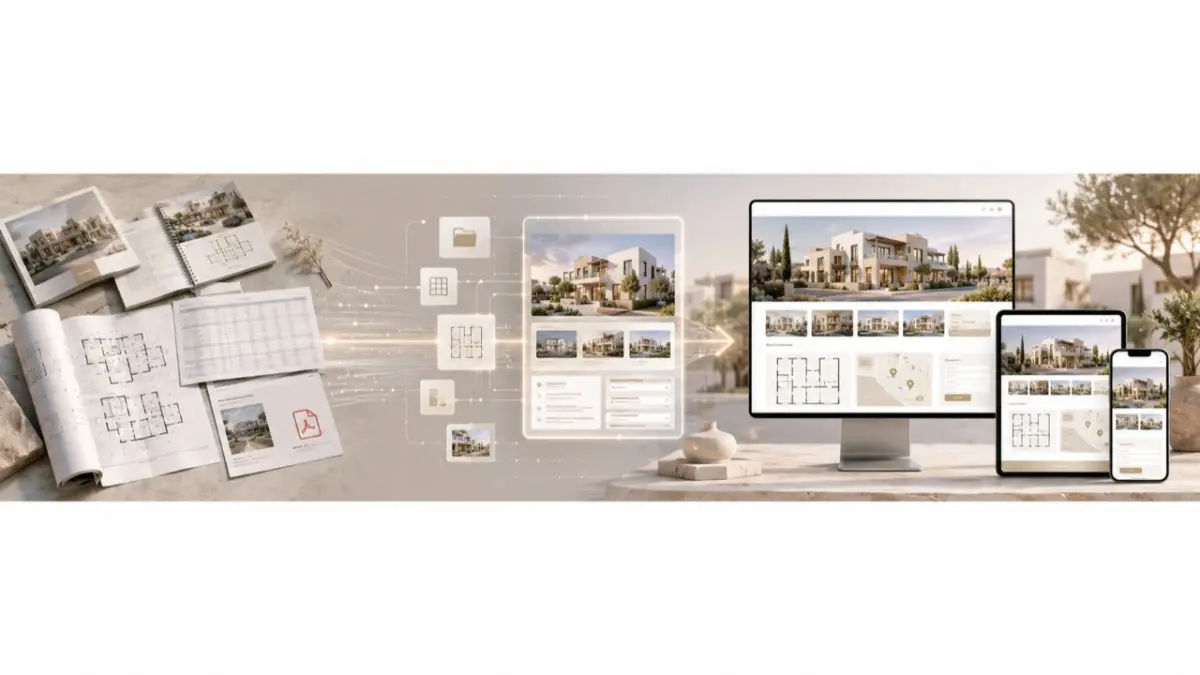
A developer launches a new apartment project in Limassol. The campaign is already live, the visuals look polished, the sales team is ready to handle inquiries, and the project page is expected to become the main buyer-facing touchpoint. But the landing page shows one version of availability, the brochure shows another, and the latest unit update is sitting in a spreadsheet that not every agent has seen. A buyer asks whether a specific apartment is still available, and the team cannot answer clearly without a manual check.
For property teams, developer landing pages Cyprus are not just a web design task. The page has to connect presentation, inventory accuracy, inquiry capture, and sales follow-up. If it looks polished but lives separately from current project data, it can create more operational questions than qualified inquiries.
After Launch, the Page Becomes Part of the Sales Workflow
A landing page is often treated as a final marketing asset: the design is approved, the renders are uploaded, the form is added, and traffic goes live. For developers, however, the page starts doing its real work only after the campaign begins. That is when buyers ask about units, agents check availability, the sales team reviews context, and marketing teams analyze which inquiries are coming from the campaign.
If the page is not connected to current inventory logic, it quickly becomes another isolated source of information. The sales team then has to check whether the page still matches the brochure, CRM, spreadsheet, and latest internal updates. A developer landing page should therefore work as a practical layer between buyer interest and sales response, not only as a polished project showcase.
Where the Campaign Starts Losing Accuracy
A project campaign usually begins with a full launch package: renders, floor plans, a brochure, a spreadsheet, a CRM workflow, and a landing page. On launch day, everything may look aligned. One week later, units change status, new media appears, the price range may need review, and agents may still be using saved versions of older files. The more active the campaign becomes, the faster the gaps in project data become visible.
- Project page: Information can become outdated after launch, causing buyers to ask about options that are no longer available.
- Brochure: Older versions may continue circulating, leading agents and buyers to receive conflicting information.
- Inquiry form: Leads may arrive without project context, requiring the sales team to spend extra time clarifying details.
- Floor plans: Updated files may not appear across all channels, so buyers end up comparing outdated layouts.
- CRM follow-up: Inquiries can become disconnected from the project record, causing the team to lose valuable context during follow-up.
The problem is not that one file becomes outdated. The real issue is that the project page, brochure, CRM, and inventory record begin to move separately. Even strong campaign traffic can then produce weaker results because every inquiry requires additional verification.
Buyer Journey Should Shape the Page Structure
A project page should be built around the way a buyer makes a decision. First, the visitor needs to understand what the development is and who it is for. Then they need to see the location, property types, available options, visual materials, floor plans, and a clear inquiry path. If this logic is broken, the page may look complete without helping the buyer move forward.
Strong developer landing pages Cyprus usually answer five practical questions: what the project is, where it is located, which units or property types are relevant, which materials help evaluate the offer, and what the buyer should do next. This does not mean every page needs the same layout. A Limassol apartment project may need investment and availability context, a Paphos villa development may need lifestyle visuals and floor plans, a Larnaca new-build launch may need fast inquiry routing, and a Nicosia project may need practical unit comparison.
A Microsite Gives the Project More Room
When a development is more complex than one listing page, a standard landing page may not be enough. A project microsite can explain the concept, location, unit mix, available options, media, documents, floor plans, and inquiry path in a more structured experience. For the buyer, this reduces uncertainty. For the sales team, it gives more useful context for follow-up.
The commercial value does not come from adding more sections. It comes from improving the buyer journey. If the microsite helps a buyer understand the project before contacting sales, the inquiry can become more relevant. This should not be described as guaranteed lead growth or fixed conversion improvement. A more precise claim is that clearer project presentation can support better inquiry quality, stronger buyer confidence, and more useful sales follow-up.
The Inventory Source Matters More Than the Layout
Even a well-designed page will be weak if the data behind it is unreliable. Project name, location, property type, unit references, availability status, media, floor plans, approved price details, and inquiry context should be easier to verify before publication. If the source data is outdated, the landing page can become outdated as well. If the source is structured, the page has a stronger foundation.
This is where an mls landing builder can be framed carefully as a workflow idea: approved inventory can support campaign-ready pages. Product claims should not be expanded without confirmation. The article should not promise automatic microsite creation, real-time availability, built-in templates, CRM routing, or publishing automation unless the RealtyHub product team confirms those features.
How to Prepare the Page Before Design Starts
Before visual design begins, developers should define the approved project record. The team needs to decide which units can be shown, which media and floor plans are approved for publication, whether price details can appear, how updates will be handled after launch, and who is responsible for accuracy. Without that foundation, the page may look polished while still depending on weak information.
Once the data layer is ready, the page structure can be planned with more confidence. The project overview, location section, available units, inquiry form, media gallery, and document blocks should support the sales process instead of creating another disconnected asset. Sales input matters here because the page should answer the questions buyers actually ask, not only repeat the marketing brief.
What to Check Before Publishing
Before the project page goes live, the team should review both the design and the operating details. A pre-launch review helps prevent the page from becoming outdated immediately after the campaign starts and reduces unnecessary manual work for the sales team.
- Approved project overview and location details.
- Current unit or listing information.
- Availability status before launch.
- Approved media and floor plans.
- Price details, if they are allowed to appear.
- Inquiry form fields that capture useful buyer context.
- CRM or manual follow-up ownership.
- Mobile layout, page speed, and SEO fields.
- GDPR language where buyer data is collected.
- Ownership for updates after launch.
Product-specific details should be verified separately. This includes whether RealtyHub supports automatic project microsites, page templates, MLS-fed landing pages, inquiry forms, CRM routing, real-time availability, SEO fields, or structured data.
Cyprus Examples by Project Type
A Limassol developer may use a campaign page for an apartment project where location context, unit types, selected media, and availability notes matter. The page becomes stronger when buyers do not have to compare a campaign ad with an outdated PDF before contacting the sales team.
A Paphos villa project often needs a more emotional presentation: lifestyle visuals, floor plans, outdoor space details, and availability context. In this case, the page helps buyers understand whether the development matches their expectations before they ask for more information.
A Larnaca new-build campaign may rely on paid traffic, partner agents, or social campaigns. The inquiry should not arrive as a generic message; it should contain enough project context for the sales team to respond faster and more accurately.
A Nicosia development may need a practical page structure for comparing several units. Here, the page should reduce confusion instead of becoming another separate version of project data.
Where Conversion Value Comes From
Conversion value does not come from calling a page “high-converting.” It comes from removing friction. A buyer is more likely to continue when the project is clear, the page answers practical questions, availability does not create doubt, and the inquiry path feels relevant. The sales team also benefits when the lead arrives with context instead of a vague message.
Performance still depends on traffic quality, project fit, pricing, sales response, and market demand. The article should therefore avoid guaranteed conversion percentages or fixed lead-growth claims. Without verified figures, it is more accurate to say that project pages can support conversion through clarity, trust, and better follow-up quality.
How Landing Pages Connect with Other Developer Workflows
Landing pages become stronger when the rest of the developer data layer is already structured. Developer API Integration can support data movement for inventory, media, and status updates. Developer CRM Integration helps inquiry capture move into sales follow-up with better context. Developer Dashboard supports reporting on project activity, leads, and listing visibility.
These related articles should be linked naturally in the CMS with anchor text, not shown as raw URLs inside the article.
RealtyHub MLS as the Foundation for Campaign Pages
RealtyHub MLS can be positioned as the platform layer that helps developers organize project inventory before it appears on campaign pages. If project data is scattered across brochures, spreadsheets, portals, and disconnected pages, every campaign has to rebuild the same information again. That makes maintenance harder and increases the risk of misalignment with the sales team.
For developers and property teams, the commercial value is a cleaner workflow. Project inventory, listing data, and availability context can be organized before they are used in buyer-facing pages. The landing page becomes the front-end campaign layer, while RealtyHub MLS supports the structured inventory behind it. Teams evaluating this workflow should review the RealtyHub MLS platform as the next step, while confirming product-specific landing-page features before making public claims.
Conclusion: Campaign Pages as Part of the Inventory Workflow
Strong developer landing pages Cyprus workflows help property developers turn project data into buyer-facing campaign pages that remain useful after launch. A project microsite can support clearer presentation, more relevant inquiries, and better sales context when the inventory behind it is reliable. An mls landing builder may strengthen that process if its features are confirmed by the product team.
The strongest next step is to define the source of truth for project data, decide what each page needs to show, and build landing-page workflows around structured MLS inventory instead of static brochures and disconnected updates.
FAQ
What should a property project microsite include?
It should usually include a project overview, location, available units, property types, media, approved floor plans, an inquiry form, availability context, and a clear next step.
How do developers use landing pages for project campaigns?
They use them to present one project clearly, capture buyer interest, and move campaign traffic into a focused sales workflow.
What is the difference between a landing page and a microsite?
A landing page is usually one focused page for one offer or campaign. A microsite gives a project more room for sections such as location, unit types, media, documents, and inquiry options.
How can campaign pages help property developers?
They give buyers one clearer place to understand the project, check relevant details, and contact the team without relying only on brochures or scattered links.
How can a private MLS help keep campaign pages current?
It can organize project and listing data in a structured inventory layer, which makes page workflows easier to manage and verify.
Author
This material was written by Maria Vashchenko.
For questions, collaboration, or further discussion, feel free to contact me on LinkedIn.